
Tag: elearning
LearnKey Veteran Services Blue Ocean Program
Summer 2014 has brought some great changes to our LearnKey Veteran Services team. Our team has been filled with committed and excited members who have a strong desire to provide the best service and learning experience to the Veterans in our program. To assist the team in providing the best service, we created the Student Resource Center. This new page on our website has videos, links, and other information that Veterans can use as a resource as they make their way through the Blue Ocean program. Another big milestone happened this August. We had our first Veteran graduate from the Blue Ocean program. Tristan Roberts was one of the first Veterans to be accepted into the Blue Ocean program and completed with certifications in CompTIA’s A+, Net+, Security+, and in Microsoft Office Specialist’s Word, Excel, and Outlook.
One benefit of the Blue Ocean program is that when students successfully complete the program they are guaranteed a job. Tristan was offered a job at LearnKey as the newest member of the Veteran Services team. With Tristan joining the team, I wondered what exactly the Veteran Services Team did to get Tristan to this point. So I spoke with Brian Tremelling and Seth Boyack, two people who were instrumental to Tristan’s success. See what they had to say below:
Brian Tremelling | Veteran & Vocational Rehabilitation Advisor – Tristan was one of the very first to be accepted into our new Blue Ocean program. The Blue Ocean terminology simply implies big, as in big opportunity for our students. Tristan’s program included IT certifications like CompTIA’s A+, Network+, and Security+. It also included certifications in Microsoft Office, and education modules designed to help with interviews, resumes, and other skills that employers are looking for. Many people would think that having these types of credentials would be enough to launch anyone in their career. Unfortunately, work experience is the missing element whenever a student gets a new credential. The great thing about those who get accepted into our new Blue Ocean program is the fact that those who successfully complete the program have the opportunity to work with LearnKey and gain that work experience that they are lacking. Tristan is the first of many students who will accept full-time work with us as a way to begin their new career.
Seth Boyack | Veteran & Vocational Rehabilitation Advisor – When I originally spoke with Tristan prior to him being accepted into LearnKey’s Blue Ocean program I could tell right away that he was motivated and hungry for such an amazing opportunity. Upon enrolling, Tristan shot out of the gate with the dedication necessary to find success. LearnKey teaches students with various learning styles; some students require more direction and others are able to move through our program without a lot of management. Tristan was the latter. Tristan and I would communicate on a monthly basis mainly for check-ins and progress reports. One of the major reasons Tristan saw so much success was directly correlated with the open line of communication we had together. Tristan’s program wasn’t perfectly smooth; there were times when he’d have to travel a couple hours to a testing center in order to sit for his certification and another time where he failed one of his exams on the first attempt. These bumps in the road proved to be pivotal. Not only did they continue to reconfirm Tristan’s drive to successfully complete the program, but it also gave Tristan and me an opportunity to work as a team and come up with the best solution possible. Tristan knew that he could trust what I said I was going to do and I knew that I could trust Tristan to deliver on his end as well; this mutual trust and the ability to have open communication is the crux of the Veteran Service Advisor and their student. No matter how you slice it or what educational path you go down, school is challenging. What LearnKey aims to do is provide students with a detailed career track, the education necessary to successfully complete the training, and a team whose sole responsibility is to make sure our students are successful. Attention to detail is what students need whether you’re learning on a campus or doing so in the comfort of your home.
New Course Release – Computer Foundations 2014
What’s my favorite part about our Computer Foundations 2014 course? It’s stunning. I have to give credit, applause, high-five, two thumbs up to our design team. I know that I speak for everyone in the company when I say that this course looks fantastic. This course has more than its looks going for it. This course is perfect for anyone who is wanting to learn the basics and is full of helpful facts and tips about computing.
This course covers the basic foundations of using a computer, while ensuring that the content is easy to understand and follow. Students will learn how to choose the appropriate programs to complete important and useful tasks. By the end of this course students will feel comfortable using the technology presented and be confident in their skills and knowledge.
Our hope is that through our courseware we may continually provide learners with the guidance, preparation, and skills they need to succeed. For more information and additional LearnKey products visit our website.
New Course Release – InDesign CC
Another great course released. All summer we have been releasing our new Adobe CC courses. I am excited to add InDesign CC to our list of Adobe CC courses: Illustrator CC, Dreamweaver CC, Photoshop CC, and Premiere Pro CC.
If you want to become a publishing professional in today’s workforce, it is important to have a working knowledge of Adobe InDesign. Our new InDesign CC course is taught by LearnKey expert Linda Dickeson, and will provide you with the skills you need to create layouts for both screen and print. This new course will teach you how to use some of the newest features of InDesign CC such as: Simplified Hyperlinks, Sync Settings, EPUB enhancements, and so much more!
Our hope is that through our courseware we may continually provide learners with the guidance, preparation, and skills they need to succeed. For more information and additional LearnKey products visit our website.
New Course Release – Illustrator CC
I am excited to announce the release of LearnKey’s news Adobe CC course. Illustrator CC joins Dreamweaver CC, Photoshop CC, and Premiere Pro CC as our newest course. This course is perfect for students who are interested in a career as a web or graphic design professional.
LearnKey’s new Illustrator CC course provides a visual and intuitive interface for users to learn about the graphic editing capabilities of Illustrator CC. Join LearnKey expert Lee Wiley as he teaches you to effectively use the new Illustrator CC software. Learn about the new features in Illustrator CC such as: Live Shapes, Windows GPU acceleration, Typekit missing fonts workflow, and much more!
Our hope is that through our courseware we may continually provide learners with the guidance, preparation, and skills they need to succeed.
New Course Release – Dreamweaver CC
It’s been a busy summer at LearnKey. We are excited to announce that we have released another Adobe CC course. Joining our Photoshop CC and Premiere Pro CC courses is Dreamweaver CC. This course will prepare students for the Dreamweaver ACA exam with online video courseware, hundreds of practice test questions with our pre/post tests, and labs and demos that will help students practice and learn the skills presented during the video training.
Our new Dreamweaver CC course provides an intuitive and visual interface for users to learn about the website creating and editing capabilities of Dreamweaver CC. Join LearnKey expert Chad Chelius as he teaches you how to effectively use the new Dreamweaver software. He will also teach you the new tools and features found in Dreamweaver CC such as: enhanced fluid grid layout, CSS designer panel, and more!
Our hope is that through our courseware we may continually provide learners with the guidance, preparation, and skills they need to succeed.
LearnKey 2014 Course Retirement Announcement
In our attempt to continually provide our customers with the best learning experience we occasionally have to retire old outdated courseware. See our list below of courses that will be retired at the end of 2014.
| Course | Product ID | Suggested Replacement | Product ID |
| .NET Security for Developers Part 1 | 372621 | No Replacement | |
| .NET Security for Developers Part 2 | 372681 | No Replacement | |
| .NET Security for Developers Series | 372771 | No Replacement | |
| Acrobat 7.0 | 660661 | Acrobat 9 Pro… | 661231 |
| ADO.NET for Developers Part 1 | 372131 | No Replacement | |
| ADO.NET for Developers Part 2 | 372511 | No Replacement | |
| ADO.NET for Developers Series | 372531 | No Replacement | |
| ASP for Developers | 370231 | No Replacement | |
| ASP.NET 2.0 Web Application Development QR | 373171 | No Replacement | |
| ASP.NET for Developers | 371891 | No Replacement | |
| ASP.NET for Developers Part 1 | 371301 | No Replacement | |
| ASP.NET for Developers Part 2 | 371741 | No Replacement | |
| ASP.NET Web Services Fundamentals | 372551 | No Replacement | |
| Building a Respectable, Productive Workplace Base Kit | 061512 | No Replacement | |
| C# for Developers | 371581 | No Replacement | |
| C# with ASP.NET for Developers | 373011 | No Replacement | |
| California Preventing Sexual Harassment | 061351 | Preventing Sexual… | 061381 |
| CISSP Access Control Systems & Methodology 2008 | 150521 | CISSP Access Con… | 151491 |
| CISSP Applications Security 2008 | 150591 | CISSP Software Dev… | 151351 |
| CISSP Business Continuity & Disaster Recovery Planning 2008 | 150561 | CISSP Bus. Cont… | 151431 |
| CISSP Certification Series 2008 | 150501 | CISSP Series | 151301 |
| CISSP Cryptography 2008 | 150531 | CISSP Cryptography… | 151371 |
| CISSP Information Security & Risk Management 2008 | 150511 | CISSP Info. Sec… | 151331 |
| CISSP Law, Regulation, Compliance, & Investigations 2008 | 150611 | CISSP Legal, Reg… | 151451 |
| CISSP Operations Security 2008 | 150601 | CISSP Op. Security… | 151411 |
| CISSP Physical (Environmental) Security 2008 | 150541 | CISSP Physical Sec… | 151471 |
| CISSP Security Architecture & Design 2008 | 150551 | CISSP Security Arch… | 151391 |
| CISSP Telecommunications & Network Security 2008 | 150621 | CISSP Tele. & Net… | 151311 |
| COM+ for Developers | 370621 | No Replacement | |
| Convergence+ | 102821 | No Replacement | |
| Database Specialist Design | 620161 | Database Design… | 620341 |
| Database Specialist Series | 620251 | No Replacement | |
| Database Specialist Using JDBC 2.0 | 620231 | No Replacement | |
| Dreamweaver, Fireworks and Flash Integration | 371941 | No Replacement | |
| Exchange Server 2003 Design | 510341 | Ex. Ser. 2010 Des… | 280611 |
| Exchange Server 2003 Implementation | 510461 | Ex. Ser. 2010 Config… | 280421 |
| Exchange Server 2003 Series | 510521 | No Replacement | |
| HTML for Developers | 370331 | No Replacement | |
| IC3: Internet and Computing Core Certification (2005) | 630531 | IC³ GS4 | 631191 |
| IC3: Internet and Computing Core Certification (2005) Spanish | 630531 | IC³ GS4 Spanish | 631331 |
| IC3: Internet and Computing Core Certification Professional | 630611 | No Replacement | |
| Implementing Unified Wireless Networks | 563841 | No Replacement | |
| Internet Business Associate | 631081 | No Replacement | |
| ISA Server 2004 | 170141 | No Replacement | |
| J2EE for Developers | 371431 | No Replacement | |
| J2SE for Developers | 372781 | No Replacement | |
| La Prevención de Acoso Sexual en el Lugar de Trabajo 2005 | 061491SP | No Replacement | |
| La Prevención de Acoso Sexual… – California | 061381SP | No Replacement | |
| Learning Windows XP | 680181 | Learning Windows 7 | 630891 |
| Medical Billing | 500371 | No Replacement | |
| Medical Coding | 500361 | No Replacement | |
| Medical Terminology | 500351 | No Replacement | |
| Modern Automotive Service Technician (MAST) | 500381 | No Replacement | |
| My Money Plan Bundle/Series | 550352 | Financial Literacy 101 | 550161 |
| My Money Plan | 550281 | Financial Literacy 101 | 550161 |
| Office 2003 Macros | 200881 | Excel 2013 Formulas | 203011 |
| Office XP Integration | 670601 | No Replacement | |
| Office XP Professional Series | 670531 | No Replacement | |
| Photoshop CS Photo Restoration | 660581 | No Replacement | |
| Photoshop CS Tips & Tricks | 660541 | No Replacement | |
| Premiere | 660241 | Premiere Pro CS6 | 140771 |
| Project Management Professional® 2009 Certification Prep | 190631 | PMP® 2014 | 190511 |
| QuickBooks | 550111 | QuickBooks 2011 | 550451 |
| Security+ 2008 | 150631 | Security+ 2011 | 151141 |
| Server Administrator | 650281 | No Replacement | |
| The ADA and Disability Law | 071341 | ADA – Meet. the Req… | 061801 |
| Understanding Visual Studio .NET | 441281 | No Replacement | |
| VB.NET 1.2 for Developers Part 1 | 440851 | No Replacement | |
| VB.NET 1.2 for Developers Part 2 | 441031 | No Replacement | |
| VB.NET 1.2 for Developers Part 3 | 441151 | No Replacement | |
| VB.NET 1.2 for Developers Series | 441331 | No Replacement | |
| Virtual Infrastructure Administrator | 280231 | No Replacement | |
| Visual Basic .NET Fundamentals for Developers | 441291 | No Replacement | |
| Visual Studio/Visual Basic .NET Fundamental Series | 441331 | No Replacement | |
| Windows 2000 Skills Update | 601321 | No Replacement | |
| Windows Support Technician MCITP Series | 683761 | No Replacement | |
| Windows XP MCDST Certification Series | 681511 | No Replacement | |
| XML Essentials for Developers | 371041 | No Replacement | |
| XML Foundations for Developers | 372311 | No Replacement | |
| XML in Java for Developers | 372871 | No Replacement | |
| XML with SQL Server 2000 for Developers | 371111 | No Replacement | |
| XML.NET for Developers | 372431 | No Replacement | |
| Implementing IOS Network Security | 563921 | Net. Security Imp… | 564131 |
| Implementing VoIP | 563781 | No Replacement | |
| SharePoint Services 3.0 Configuration | 201381 | No Replacement | |
| SQL Server 2005 Designing Infrastructure and Security | 411851 | SQL Serv. 2008 Des… | 412421 |
| SQL Server 2005 Implementing a Database | 411721 | SQL Serv. 2008 Imp… | 412341 |
| SQL Server 2005 Maintaining a Database | 411661 | SQL Serv. 2008 Imp… | 412341 |
| SQL Server 2005 Optimizing and Maintaining Database Solutions | 411971 | SQL Serv. 2008 Des… | 412421 |
| SQL Server 2005 Writing Queries | 411781 | No Replacement | |
| Windows Server 2003 Active Directory & Network Infrastructure Design | 680821 | Windows Server 2008 | |
| Windows Server 2003 Active Directory Infrastructure | 680531 | Windows Server 2008 | |
| Windows Server 2003 Implementing Network Infrastructure | 680351 | Windows Server 2008 | |
| Windows Server 2003 Managing a Network Environment | 680411 | Windows Server 2008 | |
| Windows Server 2003 Managing a Net. Env. – R2 Update | 681971 | Windows Server 2008 | |
| Windows Server 2003 Planning Network Infrastructure | 680471 | Windows Server 2008 | |
| Windows Server 2003 Security Design | 681051 | No Replacement | |
| Windows Server 2003 Security Implementation | 681091 | No Replacement | |
| Windows Vista and Office 2007 Deployment | 682181 | No Replacement | |
| Windows Vista Client Enterprise Support | 682041 | Windows 7 EDST | 683951 |
| Windows Vista Configuration | 682111 | Windows 7 Config… | 683881 |
| Windows XP Professional | 680071 | No Replacement | |
| Windows XP Troubleshooting Desktop Applications | 681451 | Windows 7 EDST | 683951 |
| Windows XP Troubleshooting Windows | 681351 | Windows 7 Config… | 683881 |
New Course Release – Premiere Pro CC
Joining Photoshop CC our newest course Premiere CC was released last week. Those who take our Premiere Pro CC course will feel prepared to take the Premiere Pro ACA exam and have access to hundreds of pre/post questions long with relevant labs and demos that will help students practice what they are learning and become familiar with the newest features of Premiere Pro CC.
Those who are interested in a career in video and audio production need to have a working knowledge and practical experience in Adobe’s Premiere Pro CC software. This course will teach you how to effectively use the new Premiere Pro CC software, allowing you to edit video and audio more effectively and efficiently. LearnKey expert Ryan James will teach you how to customize the program, helping your workflow fly. He will also teach you how to use the new features found in Premiere Pro CC. Among these new features are: New Master Clip Effects, Live Text templates, and new masking and tracking capabilities.
Our hope is that through our courseware we may continually provide learners with the guidance, preparation, and skills they need to succeed.
My Path to Certification: eLearning Advice
This article is the third in a three-part series written by LearnKey’s Online Content and Social Media Manager about achieving industry certification.
Read Part 1 and Part 2
My experience with LearnKey courses and industry certification has taught me a few things about elearning. My advice for those using online training to achieve industry certification:
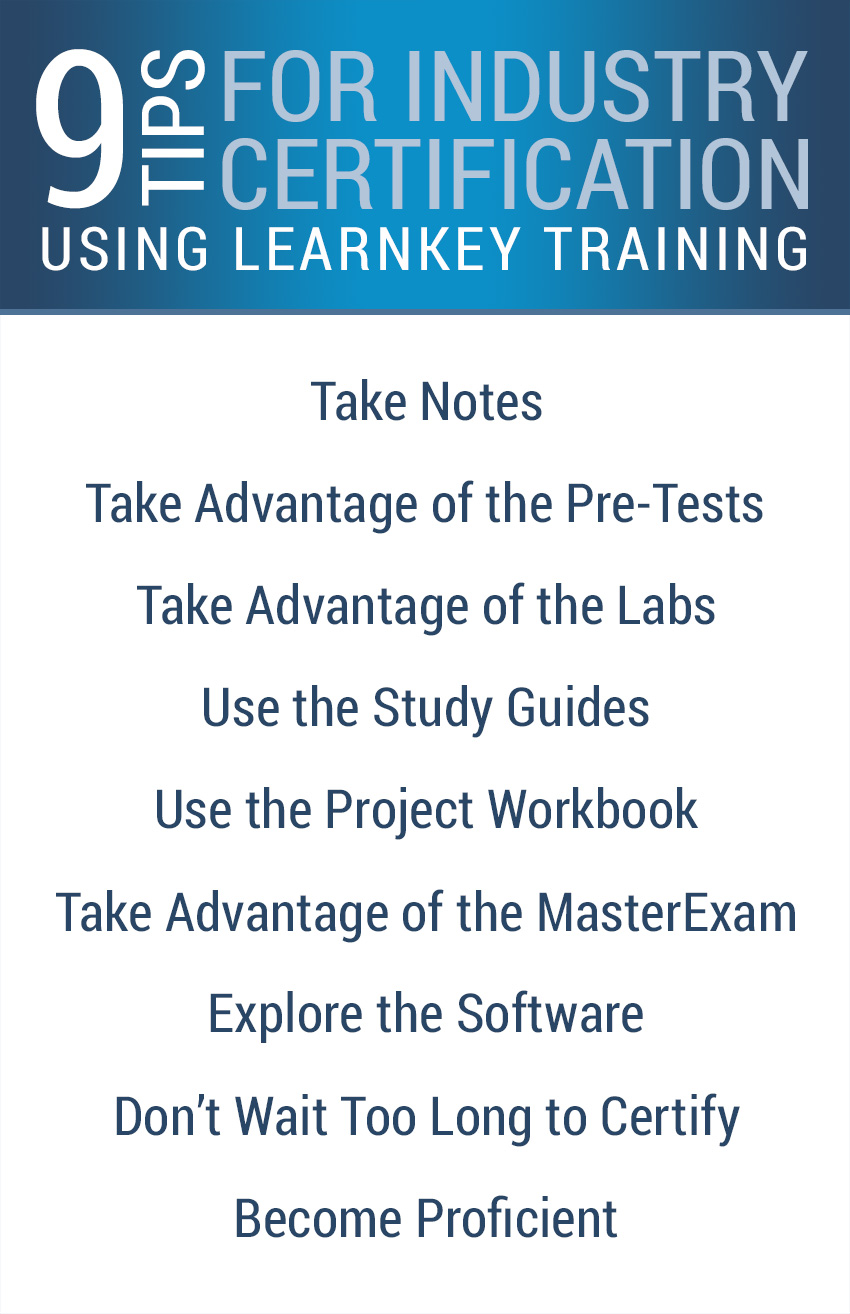
- Take notes as you watch the LearnKey training, especially on concepts that are unfamiliar to you. Even if you don’t use them to study, sometimes just the act of writing something down helps to cement it in your head.
- Take full advantage of the pre-tests. Pre-test questions give you an immediate ‘Correct’ or ‘Incorrect’ so you can keep trying until you get the right answer. Unless you are in a learning environment that requires you to keep track of your pre-test score, you can answer the same question several times before moving on to the next question. Alternatively, you can use the study guide from the incorrect pre-test questions to know which areas in the training you should pay more attention to.
- Take full advantage of the labs. Not only do the labs give you experience following a specific set of instructions within a simulation of the software, they are also included in the post-test. You can run through the labs as many times as you need to, so knowing how to complete the labs will boost your post-test score.
- Take full advantage of the study guides. When you miss a question on the pre- or post-test, that question is added to your study guide for that test. Go back through the video training and watch the sections that cover the incorrect questions.
- Take full advantage of the project workbook. Along with containing valuable reference information, project workbooks are designed to give students experience within the actual software rather that in a simulated environment. Project difficulties range from Beginner to Advanced, so even experienced users can find something of benefit in the workbooks.
- Take full advantage of the MasterExam. Think of the MasterExam as the post-test for the entire course. LearnKey recommends that you pass the MasterExam three times before you attempt to take the certification exam. This may seem like overkill for more experienced users, but those with less experience will find it helpful.
- Explore the software. Open up the menus, learn the features, and just take some time to figure things out on your own. When you want a little more structure, use the study guides and the notes you took during the training to help you learn the software inside and out.
- Don’t wait too long between completion of the training course and taking your certification exam. Unless you have a lot of previous experience or a photographic memory, you will forget things between finishing the course and taking the exam. The less time that passes, the less information you will forget.
- And, most important, remember that certification isn’t everything. Industry certification looks good on a resume and may help you get ahead in the job market, but the ultimate goal is to know how to use the software proficiently. If you can pass the certification test but you can’t really use the software, you won’t last very long at that job you were offered because of your certifications.
Whether you choose to follow my advice or not, good luck on your path to industry certification!
My Path to Certification: Using LearnKey’s Resources
This article is the second in a three-part series written by LearnKey’s Online Content and Social Media Manager about achieving industry certification. Check back in a couple of weeks for Part 3.
Read Part 1
LearnKey’s training does an excellent job of covering the Photoshop exam objectives, but the exam requires that the test taker actually know how to do a task rather than simply answering multiple-choice questions about the software. While not impossible, if you have taken LearnKey’s training but never opened the software, the exam will certainly be more difficult.
In recent years, LearnKey has recognized the value of actual experience versus straight instruction. Our course workbooks have been beefed up to include comprehensive projects that allow students to apply the processes and skills they just learned from the instructor. These new project workbooks require students to actually use the software and spend some time getting to know their way around it.
LearnKey also requires our subject matter experts to not only be known in their field, but to have taken and passed the most recent version of the exam for the course they are teaching. This ensures that instructors not only study the current exam objectives, but that they have real experience with the current version of the exam. These factors combine to help students be as prepared as possible when exam time comes.
After passing the Photoshop ACA exam I intended to continue with my certifications, but life got in the way. Things get hectic when you are working full time, married to a full-time student with a part-time job, raising a family, attempting to keep up on house and yard maintenance, managing several independent blogs and websites, writing a book, and trying to squeeze in a little freelance or personal design work. Who has time and energy for extra training when the last thing you want to do at night is turn the computer back on?
Then earlier this year, LearnKey’s CEO challenged every employee to get at least one certification in 2014. Since the bulk of my job entails managing LearnKey’s website and blog, I committed to becoming certified in Dreamweaver CS6. I was able take advantage of the self-paced nature of LearnKey’s courses and watch a half hour or so of training on Saturdays in between housework and yard maintenance. This meant that my path to Dreamweaver certification was a little slower than my path to Photoshop certification, but I was still able to exceed my goal of becoming certified by June 30.
My Path to Certification: Becoming ACA Certified
This article is the first in a three-part series written by LearnKey’s Online Content and Social Media Manager about achieving industry certification. Check back in a couple of weeks for Part 2.
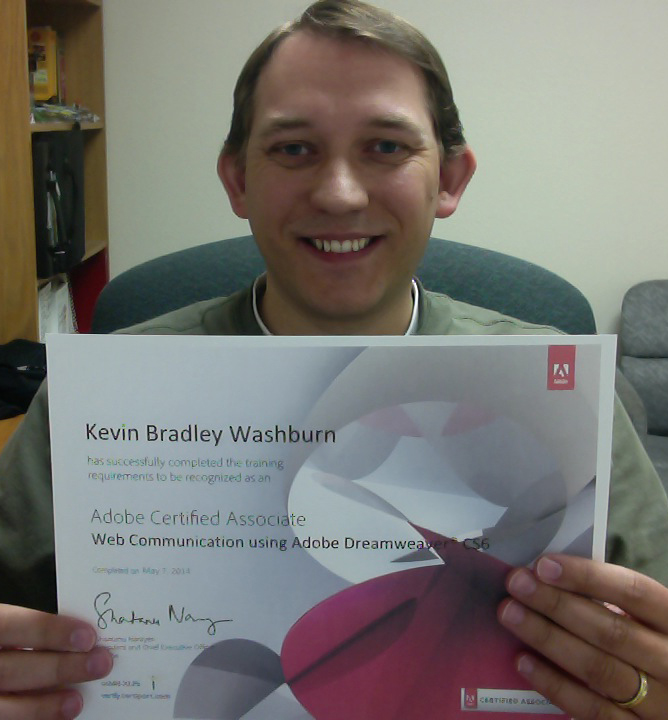
Earlier this month, I earned the Adobe Certified Associate Web Communication using Adobe Dreamweaver® CS6 certification. I have used Dreamweaver for years, but I had never really considered trying to get certified. In the eight years I have worked for LearnKey I have toyed with the idea, but it wasn’t until last summer that I seriously considered taking the exam.
Last summer, LearnKey began a push toward releasing courses in a widescreen format instead of the standard 4:3 ratio we have always used. At the time, we had just finished filming about half of our Adobe Creative Suite 6 courses in 4:3 and the decision was made that these courses would need recaptured into the new widescreen format.
I was already in the process of converting our most recent courses into a mobile-friendly format, so the task of widescreen recapturing was rolled into my production processes. In the hours I spent listening to audio, following each expert’s mouse movements, and editing the recaptured footage together, the idea occurred to me that now would be the perfect time to finally get ACA certified.
In the eight years I have worked for LearnKey, the program I have used more than any other is Adobe Photoshop. While there have been changes from version to version the basic program has stayed the same, so I began my quest for certification with the ACA Visual Communication using Adobe Photoshop CS6 exam. Since I had just finished recapturing and editing the Photoshop CS6 course, I didn’t feel the need to watch the video training for a fourth time. After passing LearnKey’s Photoshop pre-tests, post-tests, and MasterExam, I felt fully confident in taking the ACA exam.
The Adobe Certified Associate is an entry-level certification. After using Photoshop for so many years I just know how to do certain things and I was able to answer many of the exam questions without even thinking about them. I learned two things from taking the exam:
- Anyone who has used Photoshop for as long as I have should have no problem passing the ACA exam, and
- Video instruction alone cannot substitute for actual time spent using the software.