LearnKey Blog
AI Skills to Put on a Resume | Stay Workforce Ready

AI Skills to Put on a Resume, For High School Students, College Students, and Adult Learners Who Want to Stay Relevant
If you want to stay relevant in today’s workforce, you need to show you can work with AI the right way. This past January Gallup reports AI use is already deepening in remote-capable roles, with 19% of workers using AI daily, while nearly half of U.S. workers still say they never use AI at work, which means resumes that demonstrate real, responsible AI workflow skills can separate you from other applicants quickly.
If you’re in high school, college, or you’re an adult learner upskilling for a career change, the goal is not to claim you’re an “AI expert.” The goal is to show employers that you can use AI as a productivity and thinking tool, verify outputs, apply ethics, and produce better work faster.
This post gives you a resume-ready list of AI skills, plus examples you can copy, paste, and tailor, and a clear path to learn them through LearnKey’s AI course options. Skills to put on a resume is a popular topic these days, especially with the emergence of AI.
What counts as an “AI skill” in today’s workforce
When most people hear “AI skills,” they think programming, machine learning, or advanced math. Those are real AI skills, and they matter in technical roles. But for most entry-level jobs and career transitions, employers are also looking for AI literacy and AI-enabled work habits, things like:
- Asking better questions to get better outputs
- Writing strong prompts and iterating quickly
- Verifying information and spotting errors
- Summarizing, organizing, and communicating clearly
- Working with data responsibly
- Understanding bias, privacy, and appropriate use
Association for Supervision and Curriculum Development (ASCD) frames these as foundational skills for students in a world shaped by generative AI, including information literacy, data literacy, questioning, prompt engineering, dialogue, verification, critical interpretation, curiosity, metacognition, and cognitive flexibility. (ASCD)
That’s good news for learners because it means you can build AI skills without needing to become a software engineer.
The 12 most resume-ready AI skills
Below are the AI skills that translate cleanly to resumes for high school students, college students, and adult learners. For each one, you’ll see:
- What the skill means, in plain language
- How to write it in a Skills section
- A resume bullet that proves it
1) AI literacy, knowing what AI can do and what it cannot do
What it is: Understanding how tools like ChatGPT, Copilot, Gemini, or other assistants generate outputs, what “hallucinations” are, and when to rely on a human reviewer.
Skills section phrasing:
- AI literacy (responsible use, limitations, verification)
Resume bullet examples:
- Used generative AI to draft first-pass content, then validated claims against trusted sources and revised for accuracy and tone.
- Applied AI responsibly by avoiding sensitive data, documenting assumptions, and flagging uncertainty for review.
(For teachers and counselors, this is one of the easiest AI skills to validate through short assignments and reflections.)
2) Prompt engineering, giving clear instructions to get useful results
What it is: Writing prompts that include context, constraints, examples, and success criteria, then refining prompts to improve results. ASCD explicitly calls out prompt engineering and dialogue as key student skills in an AI world. (ASCD)
Skills section phrasing:
- Prompt engineering (structured prompts, refinement, iteration)
Resume bullet examples:
- Designed and refined prompt templates to generate consistent outputs for summaries, email drafts, and study guides, improving clarity and reducing rework.
- Built a reusable prompt checklist, role, goal, constraints, format, examples, to standardize quality across multiple assignments.
3) Verification and factchecking, not trusting AI output blindly
What it is: Checking accuracy, verifying sources, and identifying gaps. ASCD emphasizes verification as a core AI-era skill. (ASCD)
Skills section phrasing:
- AI output verification (factchecking, source evaluation)
Resume bullet examples:
- Verified AI-generated summaries against original documents, corrected inaccuracies, and added citations and supporting evidence.
- Created a verification workflow for AI-assisted writing, including source validation, logic checks, and final human review.
4) Information literacy, finding and evaluating credible sources
What it is: Knowing how to find reliable information, avoiding misinformation, and distinguish credible references from low-quality content.
Skills section phrasing:
- Information literacy (source credibility, research synthesis)
Resume bullet examples:
- Synthesized research from multiple credible sources into a one-page brief, using AI to organize notes and a manual review process to validate claims.
- Evaluated sources for credibility, bias, and timeliness before using AI to draft summaries and recommendations.
5) Data literacy and analysis, using data to make decisions
What it is: Understanding basic data concepts, reading charts, checking assumptions, and explaining insights clearly.
Skills section phrasing:
- Data literacy (analysis, interpretation, communication)
Resume bullet examples:
- Analyzed a dataset to identify trends and outliers, then used AI to draft an executive summary that was revised for accuracy and clarity.
- Built a simple dashboard or report and explained insights in plain language for a non-technical audience.
6) Critical interpretation, judging whether an AI output makes sense
What it is: Evaluating logic, relevance, and completeness. ASCD highlights critical interpretation and cognitive flexibility as essential AI-related thinking skills.
Skills section phrasing:
- Critical interpretation (logic checks, relevance, revision)
Resume bullet examples:
- Reviewed AI outputs for missing context, flawed logic, and weak assumptions, then rewrote sections to match real-world requirements.
- Compared multiple AI-generated approaches to the same problem, selected the most defensible option, and documented the reasoning.
7) AI ethics and responsible use, bias, privacy, and appropriate boundaries
What it is: Using AI tools with basic ethical guardrails, understanding bias, protecting sensitive information, and following policies. eLearning College includes AI ethics as an essential AI skill area. (eLearning College)
Skills section phrasing:
- AI ethics (bias awareness, privacy-safe use)
Resume bullet examples:
- Applied privacy-safe practices when using AI tools, excluding personal or confidential data and using anonymized examples.
- Assessed AI outputs for potential bias and adjusted language and recommendations to be fair, inclusive, and accurate.
8) Natural language processing awareness, working with language-based AI tools
What it is: You don’t need to build NLP models to show value. For many learners, this means using language-based AI tools effectively for summarization, translation support, rewriting, and classification.
Skills section phrasing:
- NLP fundamentals (summarization, classification, language workflows)
Resume bullet examples:
- Used AI-assisted summarization and classification to organize notes and convert long readings into structured study guides.
- Created consistent templates for rewriting technical content into clear, audience-friendly language, then validated terminology and accuracy.
9) Basic programming for AI (optional, but powerful), Python is a strong example
What it is: If you want to move toward technical roles, coding skills matter. eLearning College calls out programming and coding skills and specifically mentions Python as widely used in AI work.
Skills section phrasing:
- Python basics (automation, data handling, AI-related workflows)
Resume bullet examples:
- Wrote simple Python scripts to clean and analyze data, then summarized insights using a structured reporting format.
- Built a small automation script to reduce repetitive tasks, documented the process, and demonstrated results.
If you’re not pursuing technical roles, you can still stand out with AI literacy, prompting, verification, and applied projects, but coding is a strong differentiator when it fits your path.
10) Machine learning fundamentals (optional), understanding the basics
What it is: Knowing what machine learning is, how models learn from data, and the difference between training data and real-world performance. eLearning College lists machine learning and deep learning as core AI skill areas.
Skills section phrasing:
- Machine learning fundamentals (model basics, evaluation concepts)
Resume bullet examples:
- Completed a foundational ML learning module and explained key concepts, training data, prediction, evaluation, in a short presentation.
- Built a simple supervised learning demo project and documented limitations, assumptions, and error sources.
11) Computer vision awareness (optional), understanding visual AI
What it is: Knowing how AI works with images and video.
Skills section phrasing:
- Computer vision fundamentals (image recognition concepts)
Resume bullet examples:
- Researched computer vision use cases and produced a one-page brief outlining benefits, limitations, and ethical considerations.
- Built a small demo using a guided tool or template and presented results and constraints.
12) AI productivity workflows, using AI to plan, draft, and execute faster
What it is: Using AI as a workflow assistant, not just a chatbot, for planning, outlining, drafting, summarizing, and iterating.
Skills section phrasing:
- AI productivity workflows (planning, drafting, summarizing, iteration)
Resume bullet examples:
- Built an AI-assisted workflow to outline, draft, and revise written deliverables, reducing turnaround time while maintaining quality through verification steps.
- Used AI to generate multiple draft options, then selected and refined the best version to match audience and requirements.
How to format AI skills on a resume without sounding exaggerated
Employers can spot “buzzword resumes” quickly. Here’s the safe pattern:
- Put 4 to 8 AI-related skills in your Skills section, written plainly
- Prove 2 to 4 of them with bullets under Experience, Projects, or Coursework
- Keep your claims aligned to what you can explain in an interview
Example, Skills section (non-technical resume)
Skills
- AI literacy and responsible use
- Prompt engineering and prompt refinement
- Output verification and source evaluation
- Research synthesis and summarization
- Data interpretation and reporting
Example, Projects section (high school or college)
Projects
- AI-Assisted Study Guide System, built prompt templates to convert reading assignments into structured study guides, verified accuracy against original sources, improved revision speed and clarity.
- Career Research Brief, Used AI to draft a careers comparison table, validated facts with credible sources, wrote a one-page recommendation based on constraints.
Example, Experience bullet (adult learner, any industry)
- Used AI to draft customer responses and internal documentation, then revised for accuracy, policy alignment, and tone consistency, improving response quality and speed.
The simplest way to “prove” AI skills, build a small portfolio
You do not need a massive portfolio. You need two to four small proof points you can talk through.
Here are portfolio ideas by learner type:
High school students
- Create a “prompt pack” for studying prompts for summarization, flashcards, practice quizzes, and reflection.
- Write a one-page “AI verification checklist” and show how you used it on a project.
- Build a mini career research brief, two roles, required skills, training path, and why you chose it.
College students
- Build a research synthesis project: summarize and compare multiple sources, including citations, explain limitations.
- Create a “project brief generator” prompt template that produces consistent outlines and deliverables.
- Build a small data project, analyze a dataset and present a short insight report.
Adult learners
- Create a job-targeted workflow: resume bullets, cover letters, interview stories, and a verification step to ensure truthfulness and clarity.
- Build an SOP improvement project: use AI to propose process improvements, then refine with real constraints and human review.
- Create a “skills translation” project: convert your prior experience into new-role language using AI, then finalize with your real accomplishments.
What teachers, counselors, and CTE leaders can coach students to do
If you support learners as a teacher, counselor, or CTE leader, you can help them avoid the two most common mistakes:
- Listing AI skills with no proof
- Claiming expertise without understanding verification and ethics
A simple coaching model:
- Require a short reflection: “How did you use AI, what did you accept, what did you reject, how did you verify?”
- Grade the process, not just the final output.
- Teach students to document prompts and revisions as part of learning evidence.
This aligns tightly with emphasis on questioning, dialogue, and verification as core AI-era learning skills.
LearnKey’s AI learning options, a clear path from beginner to certified
If you want a structured way to build these skills, LearnKey’s course catalog includes multiple AI-focused options, including:
- Generative AI Foundations, covering generative AI methods and methodologies, basic prompt engineering, prompt refinement, and ethics, law, and societal impact.
- An Artificial Intelligence Pathway that includes Generative AI Foundations, ITS Artificial Intelligence, and Azure AI Fundamentals (AI 900), designed to build essential AI skills and a foundation for working with cloud-based AI tools, including examples like text recognition and sentiment analysis.
You can review the LearnKey course catalog here:
https://certify.learnkey.com/pdfs/LKcoursecatalog.pdf
If you’re starting from scratch, begin with foundational AI literacy and generative AI skills, then add certification-aligned learning as you progress. The fastest results usually happen when learners combine training with a small portfolio project they can show and explain.
Related LearnKey reading
If you want the companion mindset piece, learning AI plus the human skills that make AI useful, this LearnKey post pairs well with your resume plan.
Entry-Level NHA Healthcare Certifications, Train Online Now

2026 Trend Entry-Level NHA Healthcare Certifications:
A smart and affordable way to enter a growing Industry
-
- An adult who wants to reskill into a stable industry, without starting over in a four-year degree track, or
- A high school graduate who wants a real career path in healthcare without a traditional college.
-
- “Should I consider the healthcare industry?”
- “Can I do it affordably?”
- “Can I do it online?”
Why healthcare is such a strong “Plan A” for adults and non-college students
-
- Patient scheduling and intake
- Front-desk workflows and communication
- Medical documentation and records systems
- Billing, coding, and claims processes
What an entry-level certification really does for your career
-
- You learned the vocabulary and workflows of the job
- You can follow standards and processes
- You took the initiative to train, prepare, and prove competence
- You’re serious about entering the field, not just “trying it out.”
1) CBCS, Certified Billing and Coding Specialist
-
- Medical billing workflow basics
- Coding foundations used to support claims and reimbursement processes
- Documentation and accuracy habits that protect the revenue cycle
2) CEHRS, Certified Electronic Health Records Specialist
3) CMAA, Certified Medical Administrative Assistant
-
- Scheduling and communication
- Patient intake workflows
- Administrative coordination inside a care environment
-
- Prefer details, accuracy, and behind-the-scenes work? Start with CBCS.
- Prefer systems, digital records, and structured data? Start with CEHRS.
- Prefer people, communication, and daily office rhythm? Start with CMAA.
Real Student success: As recently as last year, one student going through LearnKey’s Allied Health Services program was doing medical coding work at an optometrist’s office when she started the CBCS program. She took advantage of our tutors, made a goal to get hired by a larger employer, which she achieved in only eight (8) months. Our onboarding process ensures we spend time really educating students on what it will take to complete the program. The plan below is easy to follow:
-
- Pick your entry target: CMAA, CEHRS, or CBCS (start with the role you can picture yourself doing).
- Set a weekly time block (even 5–7 hours/week is meaningful if consistent).
- Build a “why” reminder (a vision board, a note on your mirror, phone wallpaper—anything that keeps your motivation visible).
- Train with structure (don’t rely on random videos or scattered resources).
- Practice like you’ll perform (timed quizzes, scenario thinking, real workflow review).
- Prepare your employability assets early (resume + interview stories don’t wait until the end).
- Apply with a certification narrative: “Here’s what I trained on, here’s what I can do, here’s how I’ll contribute.”
If you want additional perspective on building durable career options through skills and certifications, this LearnKey blog pairs well with your healthcare plan:
Generative AI Skills & Soft Skills | LearnKey 2026 Edge

Competitive Edge in 2026: Learning Generative AI, Developing Soft Skills, and now more than ever, learn how to Learn Online.
In today’s world, Industry certifications show employers you have real, validated skills—not just experience. When paired with career-ready skills like communication, adaptability, AI, and accountability, they help you stand out, stay competitive, and step into opportunities with confidence.
The future belongs to people with excellent soft skills and strong practical AI knowledge. That is why LearnKey invested in our LIFT UP Professional Development Series, which is perfect for online learning and complements certification-based training. Two parts focus on Leading Myself and Leading Others. Ideal for both developing leaders and experts/SMEs.
Here is the reality sixty-six (66) percent of hiring leaders said they would not hire someone without generative AI skills. And, entry-level jobs aren’t disappearing. People still need a way into the workforce. If you learn these skills, then thanks to AI, you can enter with high-level technical capabilities and low-level soft skills, unless you intentionally develop them.
That is why you just need to shift your focus. That means building the skills that will differentiate you: clear communication, taking initiative, Team collaboration, a Strong work ethic, critical thinking, and some level of experience in basic project management.
Why Soft Skills Drive Career Advancement
Soft skills are not “nice-to-have” traits. They are performance multipliers.Research from Harvard and the Carnegie Foundation suggests that up to 85% of career success can be attributed to interpersonal and professional skills, while only 15% is linked directly to technical knowledge.
The Most Overlooked Skill: Learning How to Learn Online
- Industry certifications
- Corporate training
- Career transitions
- Workforce reskilling
- Continuing education
- Setting structured study schedules
- Blocking distractions
- Practicing active recall
- Reviewing strategically
- Managing digital tools efficiently
- Holding yourself accountable
Learning Agility Is the New Job Security
- Quickly acquiring new skills
- Applying feedback effectively
- Embracing new technologies
- Remaining curious
- Staying comfortable with change
LearnKey’s New Interactive Glossary Elevates Active Learning and Student Outcomes
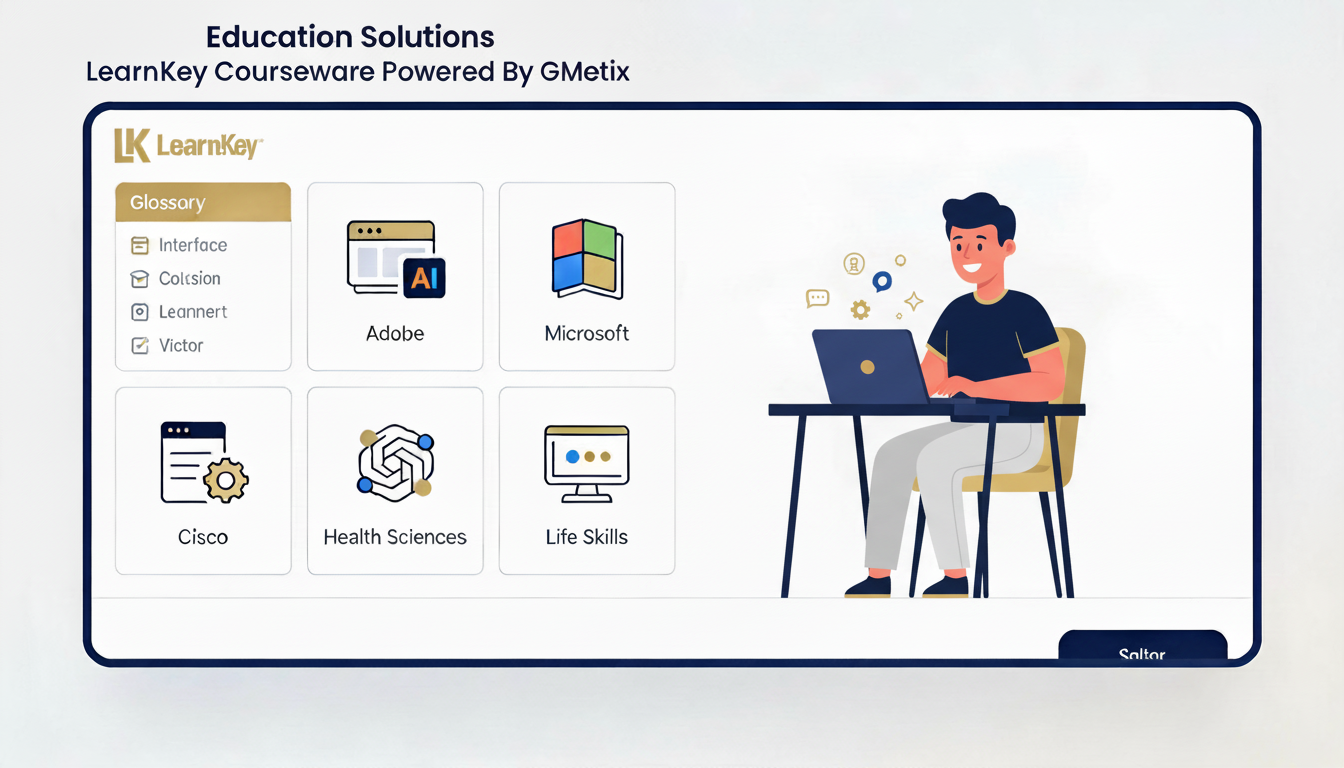
Digital education continues to evolve rapidly, but one truth has become increasingly clear: interactive online learning produces stronger student outcomes than passive consumption of content. As learners demand more engaging, efficient, and practical educational experiences, organizations that embed active learning tools into their course ecosystems gain a measurable advantage. This is exactly where LearnKey is raising the bar with the launch of its new Interactive Glossary.
Why Active Learning Matters More Than Ever
The Challenge of Technical Language in Online Learning
- Cognitive flow is broken.
- Context is lost
- Frustration increases
- Engagement drops
What Makes LearnKey’s Interactive Glossary Different
- Clear, learner-friendly definitions
- Industry-aligned terminology
- Certification-relevant language
- Consistent instructional tone across courses
Active Learning in Action: Vocabulary as a Learning Accelerator
- Reinforcing terminology at the point of need
- Supporting contextual understanding
- Reducing cognitive load
- Encouraging repeated exposure through use
The Measurable Impact on Student Outcomes
- Higher course completion rates
- Improved confidence in navigating complex topics
- Stronger assessment performance
- Better exam readiness
Strengthening Exam Readiness on the GMetrix Platform
- Aligning vocabulary with exam objectives
- Clarifying technical terms used in practice tests
- Reducing exam anxiety caused by unfamiliar language
- Improving comprehension during scenario-based questions
Value Creation for Students
- Faster understanding of complex concepts
- Reduced frustration and cognitive overload
- Increased engagement with the course material
- Higher likelihood of exam success
Strategic Value for LearnKey
- Demonstrating commitment to evidence-based learning design
- Improving learner satisfaction and outcomes
- Supporting partner platforms like GMetrix
- Strengthening LearnKey’s reputation for high-quality content
Aligning with the Future of Online Learning
When paired with research-backed active learning strategies and delivered through robust platforms like GMetrix, the glossary becomes a clear example of how thoughtful design translates into measurable impact.
Conclusion: A Simple Feature with a Big Impact
EmployabilityHub.AI: The First-of-Its-Kind AI-Enabled Employability Resource Transforming Career Exploration

AI Employability Resource Coming Soon | EmployabilityHub.AI
EmployabilityHub.AI is coming soon. It will be the first of its kind—a fully integrated AI-powered tool for career discovery, resume optimization, and interview readiness, all within the OnlineExpert LMS. This resource marks a breakthrough, pairing LearnKey’s employability approach with artificial intelligence to offer students a smarter, more intuitive way to plan their careers. As highlighted in a recent NACE article on AI-powered career and life design, artificial intelligence is rapidly becoming a transformative tool for helping students explore identity, evaluate pathways, and create meaningful professional journeys. EmployabilityHub.AI builds on these trends.
Why AI Is Reshaping Career Exploration for Students?
- Reflect on their strengths and interests
- Discover opportunities they didn’t know existed
- Connect their skills to real careers and real qualifications
Introducing EmployabilityHub.AI: Smarter Tools. Stronger Skills. Better Jobs.
1. Strength-Based Career Finder (AI-Powered)
This tool will allow students to:
- Discover career paths aligned with their personality and training.
- See how their chosen LearnKey program connects to in-demand roles.
- View job titles and skill requirements curated specifically for them.
- Explore new possibilities based on strengths—not guesswork.
2. AI Resume Editor & LinkedIn Optimization Tool
- Write, rewrite, or refine resumes using clean, modern formatting.
- Optimize wording for applicant tracking systems.
- Highlight strengths, certifications, and job-aligned skills.
- Assist with LinkedIn profile summaries, headlines, and skills lists.
3. Mock Interview Pro – AI Interview Simulation
- Behavioral, situational, and technical interview practice
- Real-time coaching and suggestions
- Tailored interview questions based on target job roles
- Feedback on clarity, structure, tone, and confidence
Enhancing Student Success Through AI + Human Support
Why EmployabilityHub.AI Is a First-of-Its-Kind Resource
EmployabilityHub.AI stands out because it:
- Integrates directly with LearnKey’s training pathways and certifications
- Combines career discovery with real-world job preparation
- Uses AI to personalize each student’s experience
- Reinforces soft skills and professional behavior development
- Prepares students to use AI responsibly—an essential workplace skill.
- Creates faster clarity and more confidence for new job seekers
How AI Improves Student Agency and Confidence
- Explore multiple professional identities.
- Receive high-quality feedback without waiting.
- Practice interviews whenever they want.
- Build resumes that feel polished and professional.
- Understand the job market more clearly.
- Take ownership of their career journey.
This sense of agency is a proven driver of better job outcomes.
Employers increasingly expect new hires to be comfortable using AI for:
- Problem-solving
- Communication
- Research
- Productivity
- Resume tailoring
- Project analysis
Value of Industry Certifications | LearnKey Training Programs

2026 Spotlight: The Value of Industry Certifications in Today’s Skills-Based Economy
In today’s fast-changing workforce, the value of industry certifications has never been more critical. As technology evolves faster than traditional education can keep pace, employers are increasingly relying on certification programs to validate fundamental skills and identify job-ready candidates. For learners, especially high school graduates, young adults, and career changers, industry certifications offer a direct and trusted path into high-demand careers. This trend is expected to continue in 2026, as the value of skills-based certifications is on the rise.
At LearnKey, our mission is to deliver world-class training that helps people achieve industry-recognized certifications and the opportunities that come with them. In 2025, our blog content primarily focused on preparing learners for certification-based roles in over twenty different certification pathways. This emphasis reflects a powerful trend shaping the global workforce: certifications are becoming essential currency in the job market.
This article explores why industry certifications matter, how they help close the skills gap, and how LearnKey’s long-standing partnership with Certiport empowers young adults to gain the certifications they need to succeed.
Industry Certifications Are Now a Core Part of Career Success
The rise of skills-based hiring is reshaping the employment landscape. Companies are placing less weight on traditional degrees and more weight on verified competencies, especially in technology-driven roles. Industry certifications provide a reliable means for employers to verify that an applicant has acquired the necessary skills for a particular position.
This shift became a significant theme in LearnKey’s 2025 blog posts. Whether we were discussing IT support roles, cybersecurity pathways, QuickBooks Online Version 4, Adobe design skills, or our broader Upskill Academy programs, the message was consistent: certifications are becoming the foundation of modern career development.
Industry certifications offer several significant advantages:
1. Certifications Prove Real Skills
Unlike degrees, which can vary widely in curriculum and instruction, certifications are standardized. A Microsoft Office Specialist certification means the same thing whether earned in Utah, India, Brazil, or the UK. Employers trust these credentials because they are measurable, repeatable, and verified through an examination.
2. Certifications Shorten the Path to Employability
Many young adults lack the time or financial resources to pursue multi-year education programs. Certifications provide a faster route—weeks or months, rather than years—to job readiness.
3. Certifications Boost Earning Potential
Across fields such as IT, accounting, cybersecurity, and design, certified workers often earn significantly more than their non-certified peers. In 2025, LearnKey highlighted multiple student success stories and new pathway updates showing how certifications led to promotions, salary increases, and career transitions.
4. Certifications Build Confidence
For many learners, especially those entering the workforce for the first time, earning a certification creates a sense of accomplishment and momentum. It signals that they belong in professional environments and are capable of achieving more.
The Youth Skills Gap Makes Certifications Essential
To understand the growing urgency behind certifications, it is essential to examine the broader labor landscape. Pearson VUE, parent company of Certiport, recently published a powerful article titled “Empowering Young People to Bridge the Skills Gap.”
The article highlights a global truth:
Young people no longer feel adequately prepared for the workforce, and employers are increasingly uncertain about their ability to hire effectively.
Several factors drive this widening gap:
- Technology is advancing at a pace that schools can’t always keep up with.
- Employers want hands-on skills, not just theoretical knowledge.
- Many students graduate without exposure to real-world tools and workflows.
- Economic pressures demand faster, more flexible ways to gain skills.
Industry certifications are emerging as one of the most effective solutions.
Why Certifications Close the Skills Gap
Pearson VUE’s research indicates that young adults are increasingly seeking training that directly connects to job opportunities. Certifications support that by:
- Providing structured skill development
- Offering automated feedback through practice tools (like GMetrix)
- Aligning with real workforce needs
- Building digital and technical readiness
- Giving learners globally recognized proof of what they can do
This aligns perfectly with LearnKey’s 2025 blog series on certification-focused pathways. Whether discussing IT Support Specialist roles, cybersecurity technician training, or QuickBooks proficiency, our message has remained consistent: certifications help learners bridge the gap between education and employment.
The LearnKey + Certiport Partnership: A Timeline of Impact
LearnKey’s commitment to helping students earn industry certifications goes back decades, but a key milestone occurred in 2016. That year, LearnKey announced its partnership with GMetrix and Certiport, a Pearson Vue-owned company known for its industry-leading performance-based testing tools. The announcement marked the beginning of a productive collaboration focused on helping students and workforce learners prepare and pass Certiport exams.
This partnership created significant advantages:
1. Integration of Practice Exams with Course Training
Learners using LearnKey courses gained access to GMetrix practice tests, which allowed them to prepare for the real certification exam in an environment that felt authentic and familiar.
2. Better Outcomes Through Realistic Readiness
Practice tests simulate actual exam conditions, helping students understand the timing, question formats, and skills-based tasks they will encounter during the actual exam.
3. Expansion of Certification Offerings
The partnership helped LearnKey expand into key Certiport credentials, including:
- Microsoft Office Specialist (MOS)
- QuickBooks Online
- Adobe Certified Professional
- IC3 Digital Literacy
- IT Specialist certifications
- Autodesk certifications
4. Scaled Access for Schools and Workforce Programs
Together, LearnKey and Certiport have empowered thousands of learners, especially young adults, to acquire digital, business, and technical skills, as well as certifications.
This partnership continues to evolve, remaining one of the strongest foundations of LearnKey’s impact on the global workforce.
Certifications in LearnKey’s 2025 Blog Themes
LearnKey’s 2025 blogs repeatedly emphasized the importance of certification-centered learning. Several themes emerged across the year:
1. Career Pathways Built Around Certifications
LearnKey published updated guidance on IT support pathways, cybersecurity career steps, and business administration training—all of which incorporate certifications at each milestone.
2. Digital Literacy and Software Proficiency
Our 2025 blog posts highlighted training for QuickBooks Online Version 4, Microsoft Office apps, and Adobe Illustrator. These certifications help learners compete for administrative, accounting, graphic design, and office roles.
3. Job Readiness Through Cert Prep
Blogs published in 2025 discussed the importance of mock exams, skill-building exercises, and aligning training with national standards—all essential for passing certification exams.
4. The Role of Practice Testing
We highlighted the role of performance-based practice tools (including GMetrix) as essential for student success, particularly in MOS, Adobe, and QuickBooks certification prep.
5. Empowering First-Time Job Seekers
Several articles explored topics like communication, professionalism, and adaptability—critical soft skills that complement technical certifications.
These blogs formed the foundation of LearnKey’s workforce development message in 2025: certifications empower learners, create opportunities, and lead to hiring success.
Hiring managers know certified employees require less training and onboard faster, making them highly desirable
As we look forward, the value of industry certifications is expected to continue accelerating for several reasons.
Technology Will Never Slow Down
AI, automation, cybersecurity, cloud computing, and software ecosystems are advancing rapidly. Certifications will remain key for verifying up-to-date skills.
Skills-Based Hiring Is Here to Stay
More companies are adopting hiring models that prioritize skill demonstrations over formal degrees. Certifications fit perfectly into this shift.
Certifications Are Becoming Global Standards
Certiport, CompTIA, Adobe, Microsoft, and other leaders have made certifications truly global. A credential earned in one country is recognized worldwide.
Learners Want Faster, Flexible Education Options
Certifications provide structure without forcing learners into multi-year programs. This flexibility attracts career changers, students, and working adults alike.
Employers Use Certifications to Reduce Hiring Risk
Hiring managers know certified employees require less training and onboard faster, making them highly desirable.
How LearnKey Supports Students Through Certification Success
LearnKey’s certification training programs are designed to help students succeed from start to finish.
We focus on:
1. Beginner-Friendly Lessons
Even complex concepts, such as networking, cybersecurity, or financial analysis, are broken down into simple modules.
2. Real Practice
With Interactive-based labs, hands-on activities, and GMetrix practice tests, students build fundamental skills.
3. Career Pathways
We provide students with recommended sequences of courses, strengthening their journey from first skill to their first job.
4. Employability Training
LearnKey’s workforce readiness resources help students prepare for interviews, create résumés, and develop soft skills.
5. Certification-Driven Course Design
Every course is aligned to an official exam blueprint, ensuring learners are prepared for exactly what they’ll see on test day.
Conclusion: Certifications Open Doors for Learners Everywhere
Industry certifications change lives. They help people launch new careers, earn higher wages, gain confidence, and stay relevant in an evolving workforce. LearnKey’s long-standing partnership with Certiport and GMetrix strengthens our ability to deliver top-quality certification preparation to learners worldwide. As reflected in our 2025 blogs and Pearson VUE’s research, certifications are essential tools for closing the skills gap and empowering young adults to succeed.
Whether someone is entering the workforce for the first time or preparing for a career change, certifications offer a clear, proven, and globally recognized pathway to opportunity.
New Online Medical Administrative Assistant Course Maps a Certiport Exam
Starting a career in healthcare doesn’t always require years of medical school. For many people, the gateway to a fulfilling and professional path is a medical administrative assistant certification. Whether fresh out of high school, transitioning careers, or looking to upgrade your skills, this course equips you with everything you need to pass the Certiport exam and thrive in a healthcare environment—no stethoscope required.
What You’ll Learn in a Medical Administrative Assistant Course
Taking LearnKey’s medical administrative assistant course provides learning a foundation in healthcare and administrative expertise. From patient scheduling and medical billing to insurance processing and electronic health records (EHR), this course builds the knowledge base required to handle the front-office operations of a healthcare facility with precision and professionalism.
This medical administrative assistant course also teaches communication and customer service skills critical for handling patients, families, and coworkers in high-stress healthcare settings. You’ll learn how to manage confidential patient data in compliance with HIPAA regulations and become fluent in healthcare terminology so you can interact confidently with medical professionals.
Career Opportunities You’ll Have After Completing LearnKey’s Medical Administrative Assistant Course
Getting certified as a medical administrative assistant opens doors to numerous entry-level roles in a fast-growing field. As healthcare expands, there is a strong demand for professionals who can keep the front end of medical offices, hospitals, and clinics running smoothly.
Job titles that graduates certified as a medical administrative assistant can pursue include Medical Receptionist, Health Unit Coordinator, Medical Office Specialist, and Medical Secretary. Each role requires such a course’s comprehensive administrative and healthcare knowledge.
According to the U.S. Bureau of Labor Statistics, jobs for medical secretaries and administrative assistants are projected to grow faster than average. Completing a medical administrative assistant course and becoming certified positions you for job security, growth opportunities, and the potential to pursue further education or certifications in healthcare administration.
How LearnKey’s Medical Administrative Assistant Course Maps to the Certiport Certification Exam
The ultimate value of a medical administrative assistant course from LearnKey is in its alignment with industry-recognized certifications. LearnKey’s medical administrative assistant course is mapped directly to the Certiport Medical Administrative Assistant certification exam, ensuring that what you study is what you’ll be tested on. LearnKey keeps it’s courses up-to-date so they stay valuable for the industry you’re pursuing
This strategic alignment means the medical administrative assistant course is structured to build knowledge and certification readiness. Every lesson and skill set directly supports the objectives measured by the Certiport exam, from scheduling appointments and managing correspondence to maintaining medical records and applying healthcare regulations.
Passing the Certiport certification gives you a competitive edge in the job market. Employers know that candidates who complete a medical administrative assistant certification are ready to contribute from day one with little onboarding.
Furthermore, LearnKey provides robust test prep tools as part of the medical administrative assistant course, including practice exams, quizzes, and a downloadable workbook. This comprehensive support gives students the confidence and preparation they need to pass the Certiport exam on their first try.
Why a Medical Administrative Assistant Course Is Perfect for Career Starters and Changers
A medical administrative assistant course is especially beneficial for those starting fresh in the workforce or pivoting into a new industry. No prior medical experience is necessary, and the barrier to entry is relatively low compared to clinical roles.
For high school graduates looking for a stable and respectable job path, this medical administrative assistant course provides a launchpad into healthcare. For working adults, especially those seeking a new direction or a role that gives purpose and security, it offers a straightforward route to a meaningful career.
Many people in the workforce find that the skills gained from a medical administrative assistant course are practical and highly transferable. Organization, communication, data management, and confidentiality skills serve you well in healthcare and beyond.
Plus, online learning through LearnKey’s medical administrative assistant course allows you to build your new future on time, even while working or caring for a family. Motivation meets opportunity in this flexible and forward-thinking career path.
The LearnKey Advantage: Medical Administrative Assistant Training That Works for You
Choosing LearnKey for your medical administrative assistant course means you get more than course content. You gain access to a full suite of tools designed to make your learning experience effective, engaging, and career-focused.
The course includes expert video instruction, hands-on lab simulations, self-paced modules, practice tests, and a certification-aligned workbook. LearnKey’s medical administrative assistant course includes career readiness support, such as resume templates, interview tips, and soft skills training.
Students also benefit from LearnKey’s relationship with Certiport, ensuring the curriculum is constantly updated with the latest exam objectives. The medical administrative assistant course is regularly refreshed to reflect healthcare practices and technology changes.
Additionally, you get lifetime access to your course, allowing you to return to the materials anytime for review. For individuals seeking a reliable, respected, and motivating path into healthcare administration, LearnKey’s medical administrative assistant course delivers.
Conclusion: Start Your Medical Administrative Assistant Course Journey Today
The demand for skilled healthcare professionals continues to rise, and a medical administrative assistant course offers an accessible and rewarding path into the field. Whether a career starter, career changer, or upskiller, this course empowers you with the knowledge, certification prep, and confidence to succeed.
From mastering front-office skills to preparing for the Certiport certification, a medical administrative assistant course from LearnKey is more than just a class—it’s your first step toward professional transformation.
Don’t wait to make your move toward a career as a medical professional! Enroll in LearnKey’s medical administrative assistant course today, without delay! Begin your career journey that offers growth, security, and a real chance to make a real positive impact on your life!
Skills to Put on Resume: The Ultimate Guide for Job Seekers
In today’s competitive job market, a well-crafted resume can be your ticket to an interview, and the skills section is at its heart. Knowing which skills to put on your resume can set you apart from the competition, whether you’re just starting or are a seasoned professional. This ultimate guide explores everything from identifying and categorizing essential skills to tailoring your resume for various industries. We also dive deep into practical strategies and provide a comprehensive list of courses LearnKey offers to help you boost your expertise and stay ahead in your career.
Table of Contents
-
- Why the Skills Section Matters
- Understanding the Different Types of Skills
- Soft Skills
- Hard Skills
- Technical Skills
- Answering Your Most Common Questions
- What skills should I put on a resume?
- What are good skills to put on a resume?
- What skills should I put on my resume?
- What are some skills to put on a resume?
- What do you put under skills on a resume?
- What skills should I put on a resume?
- How many skills should you put on a resume?
- Tailoring Your Skills for Different Job Roles
- Technology Sector
- Marketing and Sales
- Management and Administration
- Healthcare and Education
- Tips to Select the Best Skills for Your Resume
- How to Showcase Your Skills Effectively
- Boosting Your Skillset with LearnKey Courses
- Final Thoughts
Why the Skills You Put on A Resume Matter
Your resume is not just a document that lists your work history; it’s a strategic marketing tool. The skills section is often the first element hiring managers and Applicant Tracking Systems (ATS) look at when scanning your resume. Here’s why it matters:
-
- Quick Screening: Recruiters often filter applications using ATS software. Including the right keywords—such as “skills to put on resume”—ensures your resume gets past automated filters.
- Competitive Advantage: In a sea of applicants, a strong skills section immediately highlights your strengths and relevance to the job.
- Relevance to the Role: Tailoring your skills to match the specific job description shows that you’ve taken the time to understand the employer’s needs.
- Demonstrates Versatility: The right mix of soft, complex, and technical skills provides a holistic picture of your abilities and potential contributions to the organization.
Understanding the Different Types of Skills to Put on A Resume
Before you decide which skills to feature on your resume, it’s essential to distinguish between the different types of skills you may possess.
Soft Skills to List on A Resume
Soft skills are personal attributes and interpersonal abilities that help you interact effectively with others. These skills are critical in almost every job and often include:
-
- Communication: Whether verbal or written, strong communication skills are crucial for expressing ideas clearly.
- Teamwork: Employers value candidates who work well in a collaborative environment.
- Problem-Solving: The ability to analyze challenges and develop creative solutions.
- Adaptability: Flexibility to adjust to changing circumstances and new challenges.
- Leadership: Leadership qualities can set you apart even without a managerial title.
Hard Skills to List on A Resume
Hard skills are specific, teachable abilities you’ve acquired through education or experience. They are often quantifiable and directly tied to the job. Examples include:
-
- Data Analysis: Proficiency in Excel, SQL, or Python tools.
- Project Management: Knowledge of methodologies like Agile or Scrum.
- Foreign Languages: Fluency in additional languages is a valuable asset.
- Financial Modeling: Critical for finance roles where you must interpret and create financial models.
- Marketing Strategies: SEO, content marketing, and social media management skills.
Technical Skills to List on a Resume
A subset of complex and technical skills relates to IT and digital competencies. In today’s digital era, technical skills are in high demand:
-
- Software Proficiency: Mastery of industry-standard software (for example, such as, or like, Adobe Creative Suite, Microsoft Office).
- Coding: Experience with Java, Python, or C++ programming languages.
- Networking: Understanding computer networks, cybersecurity, and systems administration.
- Data Visualization: Using tools like Tableau or Power BI to create compelling data stories.
- Digital Marketing Tools: Familiarity with Google Analytics and SEMrush platforms.
Answering Your Most Commonly Asked Questions About What Skills to Put on A Resume
This guide addresses the questions most frequently asked by job seekers about which skills to include on their resumes.
YOU ASKED FOR THE FOLLOWING QUESTIONS AND WE ANSWERED THEM
What Skills to Put on a Resume?
When deciding what skills to put on your resume, consider the job description and your expertise. For example:
-
- Technical Positions: List industry-specific hard skills like programming languages, software development practices, and technical troubleshooting.
- Managerial Roles: Emphasize leadership, strategic planning, and project management.
- Customer-Facing Jobs: Highlight interpersonal skills such as communication, customer service, and problem-solving.
The key is to align your skills with the employer’s requirements to ensure your resume stands out.
What Are Good Skills to Put on a Resume?
Good skills to include are demonstrating your ability to perform effectively in the role. Here are some universally valued examples:
-
- Communication and Collaboration: Essential in nearly every industry.
- Problem-Solving and Critical Thinking: Vital for dynamic, fast-paced environments.
- Adaptability: Reflects your ability to adjust to changes.
- Technical Proficiency: For roles that require specific software or technical knowledge.
- Leadership: Important whether or not you’re in a formal management position.
What Skills Should I Put on My Resume?
The skills you list should be tailored to your industry and personal strengths. Follow these steps:
-
- Analyze the Job Description: Identify the most critical skills for the role.
- Reflect on Your Experience: Select skills you have honed in previous roles.
- Mix It Up: Combine soft, complex, and technical skills to present a well-rounded profile.
- Update Regularly: Revise your resume accordingly as you gain new competencies.
For instance, if you’re applying for a digital marketing position, include skills such as SEO, content marketing, and social media analytics alongside your communication and creative skills.
What Are Some Skills to Put on a Resume?
Here’s a sample list of skills that can be adapted for various careers:
-
- Communication: Clear and practical verbal and written skills.
- Teamwork: Ability to collaborate and work effectively in teams.
- Problem-Solving: Critical for addressing challenges in the workplace.
- Time Management: Essential for meeting deadlines and managing workloads.
- Technical Proficiency: This depends on your field, and it could range from software skills to specialized technical tools.
- Adaptability: Demonstrates flexibility in a changing work environment.
- Leadership and Initiative: Essential for roles that require guiding or managing teams.
What to Put Under Skills on a Resume?
When listing your skills under the dedicated skills section:
-
- Categorize Clearly: Divide skills into sections like “Technical Skills,” “Soft Skills,” and “Industry-Specific Skills.”
- Be Specific: Instead of a generic “communication” skill, specify “excellent verbal and written communication skills.”
- Tailor to the Role: Focus on the skills most relevant to the position you are applying for.
- Use a Clean Format: Bullet points and clear headers make the section easy to read.
What should you put for skills on a resume?
Ensure that your chosen skills accurately reflect both the job requirements and your expertise:
-
- Align with Job Keywords: Refer to the job listing to pick up on recurring terms and required competencies.
- Emphasize Recent Experience: Highlight skills you have recently acquired or honed.
- Balance Different Skill Types: Combine technical and soft skills to show a complete picture of your capabilities.
How Many Skills Should You Put on a Resume?
While there isn’t a one-size-fits-all answer, consider these guidelines:
-
- Quality Over Quantity: Aim for 8–12 highly relevant skills rather than an exhaustive list.
- Tailor for Each Job: Some roles may require a broader skill set, but every skill listed should have a purpose.
- Keep It Readable: Avoid overcrowding your resume; clarity is key.
Putting Certain Skills on Your Resume for Different Job Roles
Different industries require different skill sets. Tailoring your resume to match the job you’re applying for can significantly increase your chances of success.
Technology Skills to Put on Your Resume in The Tech Sector
For jobs in tech, emphasize your technical proficiency alongside analytical and problem-solving skills. Consider including:
-
- Programming Languages: Python, Java, C++, or JavaScript.
- Software Development: Experience with Agile methodologies, version control systems like Git, and development frameworks.
- Technical Troubleshooting: Ability to diagnose and resolve complex software or hardware issues.
- Data Analysis: Data manipulation and visualization skills using SQL, Excel, or Tableau tools.
- Cybersecurity: Understanding security protocols and best practices.
Marketing and Sales Skills to Put on Your Resume in The Marketing or Sales Sectors
Creativity and analytical thinking go hand in hand in marketing and sales roles. Focus on skills like:
-
- Digital Marketing: Expertise in SEO, content marketing, social media campaigns, and email marketing.
- Analytics: Ability to interpret data and use tools like Google Analytics or SEMrush.
- Communication: Excellent verbal and written skills to promote products or services effectively.
- Customer Relationship Management: Experience with CRM software such as Salesforce.
- Creative Thinking: The Capacity to generate innovative ideas for campaigns.
Management and Administration Skills to Put on Your Resume in the Corporate Sector
For management roles, leadership and organizational skills are paramount:
-
- Leadership: Proven ability to guide teams and manage projects.
- Project Management: Familiarity with methodologies such as Agile or Scrum.
- Organizational Skills: Strong time management and multitasking capabilities.
- Strategic Thinking: Experience in developing and implementing business strategies.
- Effective Communication: Ability to convey ideas and negotiate effectively.
Healthcare and Education Skills to Put on Your Resume In The Community or Public Services Sectors
In healthcare and education, technical knowledge is paired with empathy and communication:
-
- Patient/Student Care: Demonstrated ability to provide compassionate care or adequate educational support.
- Technical Skills: Familiarity with medical software for healthcare; proficiency with digital learning platforms for educators.
- Team Collaboration: Ability to work within interdisciplinary teams.
- Problem-Solving: Quick thinking to manage emergencies or classroom challenges.
- Organizational Skills: Efficient management of schedules, resources, and administrative tasks.
Tips to Select the Best Skills for Your Resume
Choosing the right skills requires a strategic approach. Here are some practical tips:
-
- Analyze Job Descriptions: Identify frequently mentioned skills and list those that match your experience.
- Self-Assessment: Reflect on your previous roles and pinpoint the skills that have driven your success.
- Prioritize Relevance: Only include skills directly applicable to your desired job.
- Use Industry Terminology: Ensure your skills align with the language used in the industry.
- Keep It Current: Regularly update your resume to reflect newly acquired skills and certifications.
- Link Skills to Achievements: Back up your skills with measurable accomplishments (for example, such as, or like, “Improved operational efficiency by 15% through advanced data analysis”).
How to Showcase Your Skills Effectively
Listing skills is only half the battle; compellingly presenting them is equally important:
-
- Dedicated Section: Create a clear “Skills” section near the top of your resume.
- Bullet Points and Categories: To organize your information, use bullet points and subheadings (e.g., Technical, Soft, and Industry-Specific Skills).
- Integrate in Work Experience: Rather than just listing skills, weave them into your job descriptions with quantifiable results.
- Certifications and Training: If you’ve completed relevant courses or earned certifications, mention these alongside your skills.
- Concise and Targeted: Avoid clutter. List only skills that directly support your candidacy for the specific job.
Boosting Your Skillset with LearnKey Courses
Continuous learning is essential to keeping your resume competitive. LearnKey offers a wide range of courses to help you develop technical and soft skills. Here are several top-rated LearnKey courses that can help you enhance your resume:
1. Cybersecurity Fundamentals
If you’re targeting technology roles or looking to strengthen your technical portfolio, start with a solid foundation in cybersecurity.
Cybersecurity Fundamentals
This course is ideal for those who understand the core principles of protecting systems and networks from digital attacks.
2. Mastering Python Programming
Programming skills are in high demand, especially for technical roles.
Mastering Python Programming
This course will boost your proficiency in Python, a versatile language for web development, data analysis, and automation.
3. Advanced Data Analysis and Visualization
Data skills are essential in almost every field today.
Advanced Data Analysis and Visualization
Learn how to transform raw data into actionable insights using industry-standard tools and techniques.
4. Project Management Essentials
Project management is key, whether you’re a manager or looking to enhance your organizational skills.
Project Management Essentials
This course covers the fundamentals of project planning, execution, and leadership—essential for managing teams and meeting deadlines.
5. Effective Communication Strategies
Communication is a cornerstone of every successful career.
Effective Communication Strategies
Enhance your ability to express ideas clearly and work collaboratively with peers, a skill employers highly value.
6. Digital Marketing Strategies
For those in marketing and sales, digital savvy is a must.
Digital Marketing Strategies
Learn the latest SEO, content marketing, and social media management techniques to drive results in a digital landscape.
7. Leadership and Team Management
Leadership skills are crucial even if you’re not in a formal management role.
Leadership and Team Management
This course focuses on building leadership qualities, motivating teams, and managing conflict—skills that make a real difference in any organization.
In addition to these highlighted courses, these examples represent just a few recent offerings on LearnKey. The platform boasts a comprehensive catalog of courses covering a broad spectrum of skills and software, from Microsoft Office and Adobe Creative Cloud to cloud computing platforms like AWS and Azure, Linux administration, network security certifications, and more. Whether you want to enhance your technical abilities or refine essential soft skills, LearnKey has a course tailored to your professional development needs. To explore even more learning opportunities and stay ahead in your career, visit LearnKey.com and discover the full range of training options available.
Final Thoughts About What Skills to Put on a Resume
Crafting an effective resume is an art form; the skills section is one of its most vital components. When strategically choosing and showcasing your skills, you create a compelling narrative that speaks directly to hiring managers and automated systems. Whether you’re asking, “What skills should you put on your resume?” or “How many skills should you include?”, remember that quality, relevance, and clarity are the keys to success.
Take the time to tailor your skills for each job application:
-
- Analyze the job description to pinpoint the most relevant skills.
- Mix soft, complex, and technical skills to present a balanced profile.
- Integrate examples and measurable results from your past experiences.
- Continuously update your resume as you acquire new skills through experience or further education.
Moreover, investing in your professional development is essential in today’s ever-changing job market. LearnKey’ s diverse range of courses can give you a significant competitive edge. Whether you need to sharpen your technical prowess with courses like Mastering Python Programming or bolster your leadership capabilities with Leadership and Team Management, continuous learning enhances your resume. It prepares you for the challenges of modern workplaces.
Remember, your resume is more than just a list of experiences—it’s a dynamic marketing tool representing your professional identity. By focusing on the right skills to put on a resume and leveraging educational opportunities like those offered by LearnKey, you are setting yourself up for a successful career.
Invest the time today to review your resume. Refine your skills section, ensure every skill you list is relevant, and consider taking one of the recommended courses to enhance your expertise. In doing so, you’re not just preparing for your next job application but investing in a brighter, more fulfilling future.
Learn Office 365 Apps and Unlock High-Paying Jobs with LearnKey
In today’s competitive job market, digital proficiency is not just an asset—it’s a necessity. Mastering Office 365 Apps can open doors to many career opportunities, from administrative and managerial roles to data analysis and project management. With LearnKey’s comprehensive training courses, you can gain the expertise to stand out to employers, pursue high-demand positions, and earn competitive salaries. This article explores the career paths available for professionals skilled in Office 365 Apps, the income potential of these roles, and how LearnKey’s training courses prepare you for success in today’s digital workplace.
Why Employers Value Office 365 Apps Expertise
Office 365 Apps have become an integral part of modern business operations. Companies across industries rely on tools such as Word, Excel, PowerPoint, and other Office 365 applications for efficient document creation, data analysis, presentations, and seamless collaboration. Employers are increasingly looking for candidates who understand these tools and can leverage their advanced features to improve workflow, boost productivity, and drive innovation.
Key benefits for employers include:
- Enhanced Productivity:
Professionals who master Office 365 Apps can produce high-quality documents, manage data effectively, and design persuasive presentations—all of which streamline business operations. - Improved Collaboration:
Cloud-based features, such as real-time editing and file sharing via OneDrive, facilitate seamless teamwork and communication, even in remote or hybrid work environments. - Data-Driven Decision Making:
With advanced functions in Excel and integrated data visualization tools, organizations can transform raw data into actionable insights, helping leaders make informed decisions. - Cost Efficiency:
Employees with Office 365 App expertise help reduce operational costs and improve overall business efficiency by automating routine tasks and optimizing processes.
Career Paths That Demand Office 365 Apps Skills
The versatility of Office 365 Apps means that proficiency in these tools is valuable in various job roles. Here are some of the most in-demand positions for professionals who have mastered Office 365 Apps, along with a look at their typical income ranges:
1. Administrative Assistants and Executive Assistants
Role Overview:
Administrative professionals use Office 365 Apps daily to manage communications, schedule meetings, prepare documents, and coordinate projects. Mastery of tools like Word for document creation, Excel for data management, and Outlook for email and calendar management is essential.
Income Potential:
In the United States, administrative assistants typically earn between $35,000 and $55,000 per year, while executive assistants can command salaries ranging from $50,000 to $75,000 or more depending on experience and industry.
2. Office Managers
Role Overview:
Office managers oversee the administrative functions of a business. They require strong Office 365 skills to manage reports, track budgets, organize team workflows, and maintain records. Advanced knowledge in Excel and Word is particularly valuable for generating comprehensive reports and automating routine tasks.
Income Potential:
Office managers generally earn between $45,000 and $70,000 per year. Salaries can exceed these figures in larger organizations or industries with high administrative demands.
3. Data Analysts and Business Analysts
Role Overview:
Data analysts use Excel extensively to interpret data, create charts and graphs, and generate reports that drive strategic decisions. Familiarity with Office 365 Apps enhances an analyst’s ability to manage data sets, perform complex calculations, and visualize data trends effectively.
Income Potential:
Entry-level data analysts may start with salaries around $50,000 to $65,000 per year, while experienced analysts or those in specialized industries can earn between $70,000 and $100,000 or more.
4. Financial Analysts
Role Overview:
Financial analysts rely on Excel for forecasting, budgeting, and analyzing financial performance. Proficiency in Office 365 Apps allows them to create detailed financial models and presentations that communicate insights to stakeholders.
Income Potential:
Financial analysts typically earn between $60,000 and $90,000 annually, with senior roles or positions in major economic hubs sometimes exceeding these ranges.
5. Project Managers
Role Overview:
Project managers coordinate tasks, resources, and timelines, often using Office 365 Apps to track project progress, generate status reports, and manage team communications. Excel, Word, and PowerPoint are invaluable for organizing project details and presenting updates to stakeholders.
Income Potential:
Project managers can earn from $65,000 to over $100,000 per year, depending on the complexity of projects, industry, and level of responsibility.
6. Marketing Professionals
Role Overview:
Marketing roles require the creation of compelling presentations, reports, and campaign materials. PowerPoint designs engaging presentations, while Excel helps analyze market trends and track campaign performance. Word is essential for drafting proposals and marketing copy.
Income Potential:
Marketing coordinators and specialists typically earn between $45,000 and $65,000 per year, with the potential for higher salaries as they advance to managerial positions.
7. IT Support and Office 365 Administrators
Role Overview:
IT professionals specializing in Office 365 administration manage user accounts, ensure data security, and troubleshoot software issues. Their expertise ensures an organization’s Office 365 ecosystem runs smoothly, enhancing overall productivity.
Income Potential:
IT support roles focused on Office 365 can range from $50,000 to $80,000 per year for entry-level positions, while experienced Office 365 administrators in larger enterprises may earn between $80,000 and $110,000.
8. Human Resources Specialists
Role Overview:
HR professionals use Office 365 Apps to manage employee records, generate reports, and organize recruitment activities. Excel is often used for data analysis related to employee performance and benefits management, while Word and PowerPoint support communication and training efforts.
Income Potential:
Human Resources specialists generally earn between $40,000 and $70,000 annually, with higher salaries available in larger organizations or for more senior roles.
How Office 365 Apps Enhance Job Performance
Proficiency in Office 365 Apps increases your employability and significantly enhances your job performance. Here’s how these skills translate into workplace success:
Streamlined Workflows
- Document Creation & Management:
Mastery of Word allows you to produce professional-quality documents quickly and efficiently. Advanced formatting, automation, and collaboration features help reduce the time spent on repetitive tasks. - Data Analysis & Reporting:
With Excel, you can transform raw data into insightful reports, enabling you to make data-driven decisions. Advanced functions, pivot tables, and dynamic charts are essential tools in today’s data-centric environments.
Improved Communication and Collaboration
- Effective Presentations:
PowerPoint skills empower you to design visually compelling presentations that capture your audience’s attention. Whether pitching ideas to stakeholders or delivering training sessions, your ability to create engaging slides can set you apart. - Team Collaboration:
Office 365’s cloud-based features ensure you can collaborate in real-time, share files seamlessly, and keep everyone on the same page regardless of location. This is critical for teams operating in remote or hybrid work settings.
Increased Efficiency and Innovation
- Automation of Routine Tasks:
Learning to use macros and other automation tools in Office 365 can save time and reduce the risk of errors. This efficiency boost translates into increased productivity and the capacity to focus on higher-value tasks. - Integrated Work Ecosystem:
The interconnected nature of Office 365 Apps means that information flows seamlessly between applications. This integration supports a holistic approach to managing projects, analyzing data, and communicating with team members.
Office 365 Careers in the Digital Age
As businesses continue to evolve in response to technological advancements, the demand for professionals skilled in Office 365 Apps is set to rise. Here’s a closer look at how these careers are shaping the modern workplace:
Administrative and Clerical Roles
Office 365 skills are indispensable in roles such as administrative assistants, office managers, and executive assistants. These professionals ensure that an organization’s daily operations run smoothly, from managing schedules and correspondence to handling complex document workflows. Employers value candidates who can demonstrate efficiency and attention to detail, skills honed through advanced training in Office 365 Apps.
Data and Financial Analysis
Data and financial analysis roles are critical in helping businesses make informed decisions. With proficiency in Excel and other Office 365 Apps, analysts can quickly process large datasets, generate forecasts, and create detailed financial models. This analytical capability is highly prized in industries ranging from finance and insurance to technology and healthcare.
Project and Operations Management
Project managers and operations specialists rely on Office 365 Apps to keep projects on track and operations running efficiently. By utilizing tools that enhance collaboration and streamline communication, these professionals can manage complex projects, monitor progress, and present updates clearly and concisely. The ability to effectively use Office 365 Apps is often a key differentiator in securing higher-level management roles.
IT and Technical Support
With the increasing complexity of IT infrastructures, organizations are looking for IT professionals who are technically adept and skilled in managing the Office 365 ecosystem. Office 365 administrators are crucial in maintaining system security, managing user access, and troubleshooting software issues. Their expertise ensures that the organization’s digital backbone remains robust and secure.
Marketing, Sales, and Customer Relations
Creating dynamic presentations, persuasive documents, and data-driven reports is essential in marketing and sales roles. Office 365 Apps provide the tools to design impactful campaigns, analyze market trends, and efficiently manage customer relations. As a result, professionals in these fields who are proficient in Office 365 are often better positioned for career advancement.
Income Potential: What You Can Expect
Salary expectations for roles requiring Office 365 expertise vary widely depending on experience, industry, and location. Here’s a quick overview of the income potential for key positions:
- Administrative/Executive Assistants:
$35,000 to $75,000 per year - Office Managers:
$45,000 to $70,000+ per year - Data/Business Analysts:
$50,000 to $100,000+ per year - Financial Analysts:
$60,000 to $90,000+ per year - Project Managers:
$65,000 to $100,000+ per year - Marketing Professionals:
$45,000 to $65,000+ per year - IT Support/Office 365 Administrators:
$50,000 to $110,000+ per year - Human Resources Specialists:
$40,000 to $70,000+ per year
These ranges are approximate and can fluctuate based on geographic location, company size, and individual expertise. What remains consistent, however, is that proficiency in Office 365 Apps can significantly boost your earning potential and career growth.
LearnKey’s Office 365 Courses: Your Gateway to Career Success
At LearnKey, we recognize that mastering Office 365 Apps is not just about learning software but equipping you with the skills to excel in high-demand job roles. Our carefully curated courses are designed to provide foundational knowledge and advanced expertise, preparing you for various career opportunities.
Our Office 365 Courses
- Word 365 Apps Expert (MO-111) – $99
Prepare for roles that demand advanced document creation and management skills.
It is ideal for positions such as administrative professionals, legal assistants, and executive assistants who need to produce complex, professional-quality documents. - Word 365 Apps (MO-110) – $99
Gain essential skills in document creation and formatting.
Perfect for beginners looking to build a strong foundation for office administration and clerical work careers. - PowerPoint 365 Apps (MO-310) – $135
Learn to create dynamic, engaging presentations.
This course is essential for marketing professionals, project managers, and trainers who must deliver compelling presentations that influence decision-makers. - Excel 365 Apps Expert (MO-211) – $99
Master advanced data analysis, reporting, and automation techniques.
This course is designed for data analysts, financial analysts, and business analysts who work with complex datasets and require in-depth Excel skills. - Excel 365 Apps (MO-210) – $99
Build a solid foundation in Excel for everyday data management.
This is ideal for those starting out in roles that require data organization and basic analytical capabilities, such as office assistants and junior analysts.
How Our Courses Boost Your Career Prospects
- Practical, Hands-On Training:
LearnKey courses emphasize real-world applications, ensuring you can translate your new skills into immediate workplace benefits. - Expert Instructors:
Our trainers are seasoned professionals with extensive experience teaching and practical applications of Office 365 Apps. Their insights help you understand the “how” and the “why” behind each tool’s usage. - Career-Focused Curriculum:
Each course is tailored to address the specific needs of various job roles, whether you’re looking to streamline administrative tasks, analyze data, or lead projects. - Certification of Proficiency:
Upon completion, you receive a certification from LearnKey that validates your skills, giving you a competitive edge in the job market.
Real-World Success Stories
Many professionals have transformed their careers by gaining expertise in Office 365 through LearnKey’s courses. Consider these examples:
- Maria S., Executive Assistant:
“After completing the Word 365 Apps Expert course, I was promoted to a senior executive assistant role. My ability to create complex documents and manage multiple projects simultaneously boosted my confidence and productivity. Today, I earn a salary that reflects my advanced skills and increased responsibilities.” - David L., Data Analyst:
“The Excel 365 Apps Expert course was a game changer for me. I learned advanced data manipulation techniques that improved my analysis and helped my company make smarter decisions. My role has evolved significantly, and I now command a salary well above the industry average.” - Rachel M., Project Manager:
“Mastering PowerPoint 365 Apps enabled me to deliver presentations that resonated with my stakeholders. This skill set was a key factor in my recent promotion, and I now manage projects more confidently and efficiently.”
These testimonials illustrate that with the proper training, you can confidently pursue and excel in roles that offer professional satisfaction and competitive compensation.
Tips for Positioning Yourself for High-Paying Roles
Build a Comprehensive Skill Set
Invest in learning all facets of Office 365 Apps—from document creation and data analysis to presentation design and collaboration tools. A well-rounded skill set makes you more versatile and valuable in the workplace.
Tailor Your Learning to Your Career Goals
Identify the job role you aspire to and focus on the Office 365 tools most relevant to that position. For instance, if you aim to be a data analyst, prioritize advanced Excel training; if you’re targeting an administrative role, focus on Word and Outlook functionalities.
Showcase Your Certifications
Add your LearnKey certifications to your resume and professional profiles. Employers recognize these credentials as proof of your expertise and commitment to professional development.
Continue Learning and Adapting
The digital landscape is constantly evolving. Through continuous education and practice, stay updated with the latest features and best practices in Office 365 Apps. This commitment to growth will keep you competitive and open up further career advancement opportunities.
Conclusion: Unlock Your Potential with Office 365 Expertise
Mastering Office 365 Apps is more than learning a set of tools—it’s about transforming your career and positioning yourself for success in a digital-first world. With roles ranging from administrative and office management to data analysis and project management, the opportunities are vast, and the income potential is compelling.
LearnKey’s Office 365 Apps training courses provide the practical, career-focused education you need to excel in high-demand positions. Whether you want to start a new career or enhance your current role, our expert courses will equip you with the skills employers value most.
Take the first step toward a brighter future by enrolling in one of our courses today. With LearnKey, you’re not just learning software but building a foundation for a successful, high-paying career. Empower yourself with the expertise that drives productivity, innovation, and professional growth. The tools you master today will define your success tomorrow.
Visit LearnKey now, choose the course that best aligns with your career goals, and start your journey toward mastering Office 365 Apps. With dedication, continuous learning, and proper training, you can unlock opportunities and achieve the financial rewards you deserve.
Invest in your future, gain the skills that matter, and join the ranks of professionals who have leveraged Office 365 App expertise to secure competitive, high-paying jobs. Your career transformation begins with a single step—make that step today with LearnKey.
Learn JavaScript: Kickstart Your Coding Journey with Expert Guidance
Are you ready to learn javascript and transform your web development skills? In today’s fast-paced digital world, mastering JavaScript is no longer optional; it’s essential. Whether you’re a beginner eager to explore coding or a seasoned professional aiming to upgrade your skills, our comprehensive course offers a clear pathway to success. In this article, we dive deep into every aspect of our JavaScript course, explain why now is the perfect time to learn javascript, and show you how this investment can open doors to a rewarding career in web development.
The Importance of JavaScript in Modern Web Development
JavaScript remains at the heart of modern web applications, powering dynamic content, interactive user interfaces, and real-time functionality across countless websites and apps. If you want to learn javascript, you’re tapping into a versatile, widely used, and continuously evolving language. As businesses move online and digital experiences become increasingly interactive, professionals who know how to manipulate the web with JavaScript are in high demand. By learning javascript, you’re equipping yourself with technical expertise and positioning yourself as a valuable asset in an ever-growing tech market.
Meet Your Expert Instructor: Jason Manibog
When you decide to learn Javascript with our Javascript course, you’re guided by the exceptional expertise of Jason Manibog. With over 15 years in Information Technology, Jason has built a reputation as a top-notch trainer, consultant, and courseware writer. His impressive credentials include Microsoft Certified Trainer status and multiple certifications from Microsoft, CompTIA, and Adobe. Jason’s real-world experience means every lesson is enriched with practical insights and real-life examples. His approachable teaching style and passion for coding ensure that even the most complex topics become accessible. Having an instructor like Jason is a game changer for anyone who wants to learn javascript effectively.
Course Overview: Your Gateway to JavaScript Mastery
Our JavaScript course is meticulously structured to give you a comprehensive learning experience. Spanning nearly 10 hours of high-quality content across five in-depth modules, this course is designed to take you from the basics to advanced topics with clarity and precision. Every course section is crafted to help you understand the core concepts and real-world applications of JavaScript so you can confidently build dynamic webpages and interactive applications.
What You Will Learn
JavaScript Fundamentals:
Start your journey by understanding essential components like operators, keywords, methods, and best practices. This foundational knowledge is crucial to learn javascript effectively.
Variables, Data Types, and Functions:
Learn how to manage data through variables, work with various data types, declare and manipulate arrays, debug objects, and use built-in math functions. Mastering these topics will empower you to write cleaner, more efficient code.
Control Structures:
Delve into decision-making processes using logical and comparison operators, decision statements, and loops. This module helps you learn javascript control flows and logic constructs to create interactive features.
DOM Manipulation:
The course profoundly delves into the Document Object Model (DOM). Learn how to interact with HTML documents by locating, modifying, and dynamically adding elements, enabling you to learn javascript in a way that makes web pages come to life.
HTML Forms Integration:
Understand how to manage user input, validate forms, and process form submissions. This practical skill is invaluable for creating responsive and user-friendly web applications.
Detailed Module Breakdown
Domain 1: JavaScript Operators, Methods, and Keywords
Duration: 53m 24s
Focus: This module lays the groundwork for learning Javascript by introducing you to the language’s basic building blocks. Topics include arithmetic operators, practical best practices, inline versus external scripts, exception handling, and interaction with the browser object model. These lessons are designed to give you a solid start and build confidence as you progress.
Domain 2: Variables, Data Types, and Functions
Duration: 1h 20m 37s
Focus: Dive into the mechanics of handling data in JavaScript. Learn about primitive data types, how to declare and use arrays, and the intricacies of debugging code involving objects. This module also covers built-in math functions and the fundamentals of parameters and return values—critical concepts for anyone who wants to learn JavaScript and write robust programs.
Domain 3: Decisions and Loops
Duration: 35m 36s
Focus: This section is all about control structures. It explains how to implement logical and comparison operators, decision statements, and loops. These techniques are essential for creating interactive and dynamic web applications. By learning Javascript decision-making tools, you can design complex algorithms to solve real-world problems.
Domain 4: Document Object Model (DOM)
Duration: 36m 14s
Focus: Understanding the DOM is crucial for modern web development. This module teaches you how to navigate and manipulate the DOM tree, handle HTML events, and output data to HTML documents. With these skills, you’ll be able to learn javascript in a way that directly enhances the user experience of any website or application.
Domain 5: HTML Forms
Duration: 26m 51s
Focus: This final module covers everything you need to know about integrating HTML forms with JavaScript. From retrieving and setting form field values to validating input and managing the form submission process, this module ensures you learn javascript to create interactive, user-friendly forms.
Why Choose This Course to Learn JavaScript?
Real-World Application
Every module is designed with real-life applications in mind. When you choose to learn javascript through our course, you’re not just memorizing theory—you’re applying your knowledge to build projects that mirror the challenges faced in the modern web development environment. This practical approach means you’ll gain hands-on experience directly translating to improved coding proficiency and enhanced employability.
Comprehensive Curriculum
Our course covers every topic needed to become proficient in JavaScript. Whether you’re interested in building dynamic webpages, enhancing website interactivity, or pursuing a career in software development, our curriculum is tailored to help you learn javascript from the ground up. Each module is paired with pre-assessments, labs, and post-assessments to reinforce learning and measure progress.
Recognized Credentials
Upon completing the course, you can earn a Certificate of Completion by scoring 80% or better on all post-assessments. An exclusive digital badge is awarded to those who score 90% or higher. These credentials can significantly boost your resume and prove your expertise in JavaScript, demonstrating that you’ve taken the time to learn javascript comprehensively.
Flexible Learning Environment
Learning styles vary, and busy schedules can make traditional classroom learning challenging. That’s why our course is offered online with a one-year access license, allowing you to learn javascript at your own pace. Whether you prefer to study during weekends, evenings, or any time that fits your lifestyle, our platform provides the flexibility you need.
Unlocking Career Opportunities and Learn JavaScript
In today’s digital era, employers are looking for professionals who can design visually appealing websites and add interactive features that enhance user experience. By choosing to learn javascript, you’re opening yourself up to a multitude of career opportunities:
Learn Javascript as a Front-End Developer
Building Engaging Interfaces:
Learning Javascript is crucial for front-end developers because it transforms static designs into interactive and responsive experiences. By learning Javascript, you gain the ability to manipulate the Document Object Model (DOM) seamlessly, apply real-time updates, and craft dynamic interfaces that adjust smoothly across different devices.
Leveraging Popular Frameworks and Libraries:
Learning Javascript opens the door to an extensive range of libraries and frameworks—such as React, Angular, and Vue.js—that are fundamental for modern front-end development. With learning Javascript, developers can build component-based architectures that manage state efficiently while delivering scalable applications with smooth, engaging interactions.
Enhancing User Experience:
Learning Javascript empowers developers to implement animations, transitions, and interactive features that bring web applications to life. Through learning Javascript, you can introduce real-time validations, dynamic content updates, and interactive graphics, ensuring that your interfaces meet the high expectations of modern users for responsiveness and performance.
Learn Javascript as a Back-End Developer
Expanding JavaScript’s Role with Node.js:
Learning Javascript has taken on a new dimension with Node.js, which enables developers to write server-side code in the same language they use for the browser. Embracing learning Javascript for back-end development means you can build scalable, high-performance web applications that leverage a unified language across both client and server environments.
Asynchronous Programming and Scalability:
When learning Javascript for server-side tasks, the language’s asynchronous, non-blocking I/O model becomes a major asset. Learning Javascript within the context of Node.js allows you to efficiently manage multiple connections, making it easier to develop APIs, microservices, and real-time applications like chat platforms or online games.
Uniform Language Stack:
Learning Javascript ensures that you can maintain a consistent technology stack throughout your project. This unification simplifies development, reduces context switching, and boosts team collaboration by enabling both front-end and back-end developers to work with the same language and shared knowledge.
Learn Javascript as a Full-Stack Developer
Mastering Both Ends of Development:
Learning Javascript enables full-stack developers to manage both client-side and server-side coding with ease. By learning Javascript, you acquire the versatility to architect entire applications from scratch, streamlining the debugging process and ensuring seamless integration between user interfaces and server logic.
Increased Flexibility and Efficiency:
Through learning Javascript, full-stack developers enjoy increased efficiency by using a common language for all layers of development. Learning Javascript makes it easier to switch between building interactive user interfaces and designing robust server-side logic, while also capitalizing on a rich ecosystem of libraries and tools available via npm.
Enhanced Collaboration:
Learning Javascript fosters a more cohesive working environment across development teams. When everyone—whether working on the front-end or back-end—engages in learning Javascript, it leads to improved communication, smoother planning, and a more unified approach to building high-quality applications.
Learn Javascript as a UI/UX Designer
Empowering Design Prototyping:
Learning Javascript isn’t just for developers; it can significantly enhance the work of UI/UX designers, too. With learning Javascript, designers can create interactive prototypes that simulate user interactions, allowing them to test, iterate, and refine designs before the full development process begins.
Enhanced Communication with Developers:
Through learning Javascript, UI/UX designers gain a deeper understanding of the technical possibilities and constraints inherent in web development. Learning Javascript helps bridge the communication gap between design and development, ensuring that design concepts are both innovative and technically feasible.
Creating Interactive Experiences:
Learning Javascript equips UI/UX designers with the skills to prototype interactive elements and micro-interactions directly. By investing in learning Javascript, designers can experiment with animations and transitions, creating engaging experiences that translate into superior final products and elevate overall user satisfaction.
Forward thoughts: Learning Javascript is not just a technical skill—it’s a career-enhancing asset that can open doors to higher positions and innovative projects in the technology sector.
How Learning JavaScript Can Empower Your Development Skills
Building Interactive Web Applications
When you learn javascript, you can bring static websites to life. Interactive menus, responsive forms, dynamic content loading, and real-time data updates are just a few examples of what you can achieve. These capabilities are essential for creating modern, user-friendly websites that stand out in a competitive market.
Enhancing Problem-Solving Abilities
Programming with JavaScript sharpens your logical thinking and problem-solving skills. As you work through challenges, design algorithms, and debug code, you develop a systematic approach to solving problems—an invaluable skill in any technical role. If you want to learn javascript, you’re not just acquiring a language; you’re honing a mindset that will benefit all areas of your professional life.
Empowering Creative Expression
JavaScript isn’t just about code—it’s a tool that empowers you to create innovative digital experiences. From developing interactive art installations to crafting engaging educational tools, the creative applications of JavaScript are nearly limitless. For aspiring developers and artists alike, the chance to learn javascript opens up a world of creative possibilities.
Additional Learning Resources and Community Support
To further enrich your journey to learn javascript, our course provides access to various supplementary materials and community forums. Here’s what you can expect:
Comprehensive Workbooks and Support Files:
Each module includes detailed workbooks and support files that reinforce learning. These materials offer additional exercises and real-world examples to deepen understanding of JavaScript concepts.
Interactive Labs and Assessments:
Practice makes perfect. Our labs allow you to experiment with code in a controlled environment, and assessments help you gauge your progress. This hands-on approach ensures that you learn javascript effectively and retain the knowledge over the long term.
Community Forums:
Join a vibrant community of fellow learners and seasoned professionals. Exchange ideas, ask questions, and get feedback on your projects. When you decide to learn javascript, you’re not doing it alone—our community is here to support your growth every step.
Additional Reading and Tutorials:
To keep your skills sharp, we offer curated lists of articles, tutorials, and coding challenges that complement our course content. These resources are ideal for anyone who wants to learn javascript further and stay updated with the latest trends and best practices.
Frequently Asked Questions (FAQ) about Learning JavaScript
Q: Who is this course for?
A: This course is perfect for beginners, intermediate developers, and anyone interested in learning javascript. Whether you aim to switch careers or enhance your current skill set, our course provides the necessary tools.
Q: What prerequisites do I need to learn javascript?
A: No prior programming experience is necessary. Our course starts with the basics, ensuring anyone wanting to learn javascript can follow along and build a strong foundation.
Q: How will this course improve my career prospects?
A: By learning javascript, you gain a competitive edge in web development. The skills acquired from this course are highly sought after, opening doors to roles such as front-end, back-end, and full-stack development. Plus, earning a certificate or badge validates your expertise to potential employers.
Q: Is the course self-paced?
A: Yes, our online course is designed for self-paced learning. You have one-year access, which gives you the flexibility to learn javascript at a time that suits your schedule.
Q: How do the assessments work?
A: Each module is paired with pre-assessments, labs, and post-assessments to help you review and test your knowledge. Scoring 80% or better earns you a Certificate of Completion, and a score of 90% or higher earns you a unique digital badge.
Student Success Stories
Many of our students have seen transformative career changes after choosing to learn javascript through our course. One student shared, “Before this course, I struggled with making my websites interactive. Now, I have the skills to build dynamic applications, and I recently landed my dream job as a front-end developer.” Stories like these underscore how learning javascript builds technical skills, boosts confidence, and opens up new professional avenues.
Another success story comes from a mid-career professional looking to switch fields. “Deciding to learn javascript was the turning point for me. The course was challenging yet incredibly rewarding. I now work on projects that truly excite me and have grown my network in the tech community,” they explained.
Investing in Your Future: Begin Your Journey to Learn JavaScript Today
Learning javascript is an investment in your future. The demand for skilled JavaScript developers continues to soar as businesses expand their online presence. You have everything you need to succeed with our comprehensive course, expert instruction from Jason Manibog, and a curriculum designed for real-world application.
Priced at just $125, this course represents exceptional value. It’s more than just a series of lectures; it’s an immersive learning experience that prepares you for the challenges of modern web development. With detailed modules, hands-on labs, and recognized credentials, you’re well on your way to becoming a proficient JavaScript developer.
Ready to take the next step? Don’t let this opportunity pass you by. Embrace the challenge, join our community, and learn javascript in an engaging, practical, and career-enhancing way. Whether you want to create interactive web applications, improve your coding skills, or jumpstart a new career in tech, our course is designed to help you succeed.
Unlock your potential, enhance your resume, and secure a future in the thriving world of technology. Learn javascript with our expert-led course and see firsthand how mastering this essential language can transform your professional journey. Add the course to your cart today and build the skills to define tomorrow’s digital landscape.
By choosing to learn javascript with us, you’re not only gaining technical skills, you’re joining a community of innovators and problem-solvers. Our course is structured to provide you with the depth of knowledge required to excel in web development and the practical experience employers seek in a competitive market.
In summary, if you want to learn javascript and truly harness the power of web development, now is the perfect time to invest in your skills. With expert guidance from Jason Manibog, a meticulously designed curriculum, and a supportive learning environment, your journey to mastery begins here. Start today and open the door to endless possibilities in digital innovation.
Take control of your future. Embrace the challenge, build your skills, and learn Javascript with confidence. Your journey toward becoming an outstanding developer starts now—choose to empower your career and join the ranks of professionals shaping the future of technology.
Ready to code the future? Start now and let every line of code be a step toward a brighter, more innovative tomorrow. With our comprehensive JavaScript course, you can learn javascript, create dynamic web applications, and make your mark in the digital world.
Be sure to check out more of our online programming courses at www.learnkey.com